Introduction: The Deployment Problem No One Talks About
Let’s cut through the noise: Salesforce deployments are a nightmare for most teams, and you know it.
You’ve been there. It’s Friday afternoon. Your release is supposed to go live. Half your change set components fail with cryptic error messages. Your admin is manually clicking through screens while developers are frantically Slacking each other about missing dependencies. Production is waiting. Stakeholders are breathing down your neck. And someone just realized they forgot to deploy the validation rule that the entire workflow depends on.
Sound familiar?
Here’s the brutal truth: Most Salesforce teams are doing deployments wrong. Not because they’re incompetent, but because they’re using the wrong tools for their maturity level. They either cling to Change Sets because “that’s how we’ve always done it,” or they jump headfirst into Salesforce CLI without understanding the operational overhead, or they throw money at Gearset hoping it’ll magically solve their process problems (spoiler: it won’t).
The deployment tool you choose isn’t just a technical decision—it’s a strategic one that impacts your development velocity, quality, team morale, and ultimately, your business outcomes.
This post will give you the unvarnished truth about Change Sets, Salesforce CLI, and Gearset. No marketing fluff. No vendor bias. Just practical guidance based on real-world experience with teams ranging from 2-person startups to enterprise organizations managing hundreds of deployments monthly.
By the end, you’ll know exactly which approach fits your team’s current reality and how to implement salesforce deployment best practices that actually work.
Understanding Your Options: The Real Story
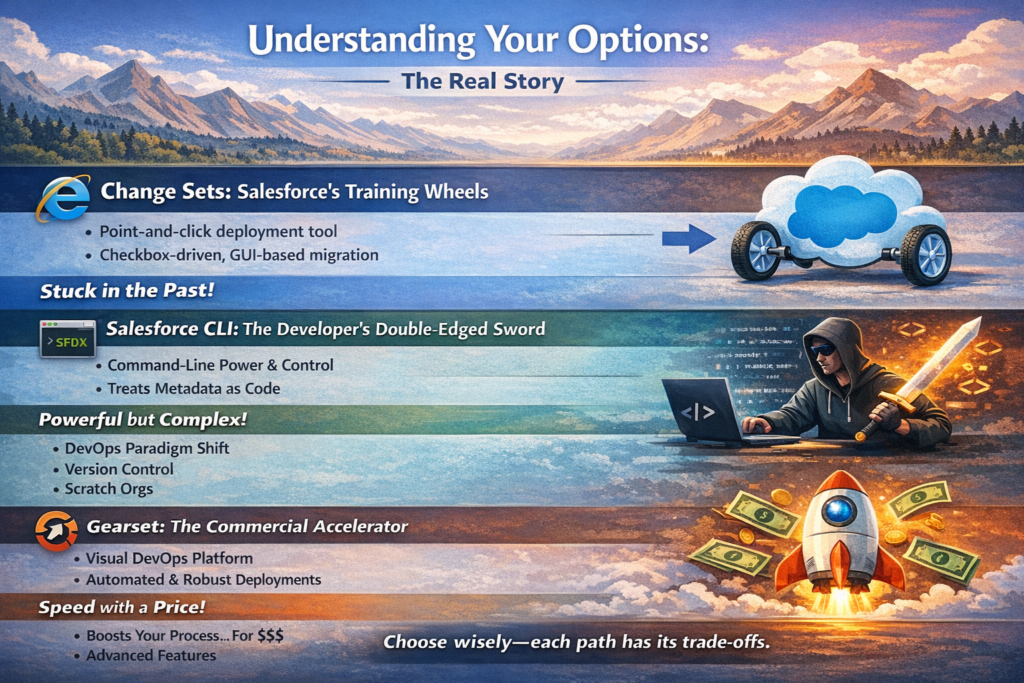
Change Sets: Salesforce’s Training Wheels
Change Sets are Salesforce’s native, point-and-click deployment tool. Built directly into the platform, they allow you to package metadata components and push them from one org to another through a trust relationship.
What Change Sets actually are: A GUI-based deployment mechanism that works like a checkbox-driven migration tool. You select components, add them to a container, upload to the target org, and deploy.
What Salesforce won’t tell you: Change Sets were designed for simple orgs in the early 2010s. They’ve been feature-enhanced over time, but the fundamental architecture hasn’t changed. They’re the deployment equivalent of Internet Explorer—they work, they’re familiar, but they’re holding you back.
Salesforce CLI: The Developer’s Double-Edged Sword
Salesforce CLI (SFDX) is a command-line interface that enables source-driven development. It represents Salesforce’s modernization effort, bringing DevOps best practices to the platform.
What Salesforce CLI actually is: A comprehensive toolset that treats your Salesforce metadata as source code. It enables version control integration, scratch orgs, automated deployments, and modern development workflows.
What you need to know: SFDX isn’t just a tool—it’s a paradigm shift. You’re not just changing how you deploy; you’re changing how you develop, test, and collaborate. This is powerful but demands cultural and process changes that many teams underestimate.
Gearset: The Commercial Accelerator
Gearset is a third-party DevOps platform built specifically for Salesforce. It provides a visual layer over Salesforce deployments with advanced features for comparison, validation, and automation.
What Gearset actually is: A comprehensive DevOps solution that combines the ease of use of Change Sets with the power of CLI-based deployments, adding features like automated testing, deployment monitoring, and compliance tracking.
The reality check: Gearset is excellent, but it costs real money (starting around $100/user/month and scaling up). It’s not a replacement for good processes—it’s an accelerator of existing processes. If your deployment process is chaotic, Gearset will help you be chaotic faster.
The Unfiltered Comparison
Change Sets: When Point-and-Click Becomes Point-and-Cry
Pros:
- Zero learning curve: If you can use Salesforce, you can use Change Sets
- No additional costs: Included with every Salesforce license
- Org-to-org trust: Built-in security model that IT departments understand
- Audit trail: Native tracking of what was deployed when
- Good enough for simple scenarios: Perfect for that one-off configuration change
Cons:
- Dependency hell: Change Sets don’t automatically include dependencies, leading to deployment failures that make you want to flip tables
- No version control: Your metadata lives in orgs, not in repositories, making rollbacks a manual nightmare
- Component limitations: Some metadata types simply cannot be deployed via Change Sets (seriously, Salesforce?)
- No comparison tools: You’re flying blind—can’t easily see what’s different between orgs
- Manual and error-prone: Every deployment is a series of manual steps begging for human error
- Directional only: You can’t easily sync changes bidirectionally
- Deployment validation issues: You often don’t know if it’ll work until you try deploying to production
When to use Change Sets:
- Your team is 1-3 people and deployments happen weekly or less
- You’re making configuration-only changes (no custom code)
- Your Salesforce environment is simple (1-2 sandboxes, straightforward metadata)
- Your team has minimal technical expertise
- You need to make an emergency hotfix and don’t have time to set up anything else
When to run away from Change Sets:
- You have more than 5 regular contributors
- You’re doing daily or continuous deployments
- You have custom Apex code and need to maintain quality
- You’ve ever said “I have no idea what’s in production right now”
- You’re spending more than 2 hours per week on deployments
Salesforce CLI: Power Tools for Grown-Up Deployments
Pros:
- Source control integration: Your metadata lives in Git, enabling true version control, branching, and collaboration
- Scratch orgs: Disposable development environments that are a game-changer for development workflow
- Automation-friendly: Scripts, CI/CD pipelines, and automated testing become possible
- Comprehensive metadata support: Nearly everything can be deployed via CLI
- Deployment validation: Test deployments before going to production
- Free: No licensing costs beyond your Salesforce licenses
- Developer workflow: Supports modern development practices like feature branches and pull requests
- Precise control: Deploy specific components or entire projects with granular control
Cons:
- Steep learning curve: Requires command-line comfort and Git knowledge
- Setup complexity: Initial project setup takes time and expertise
- Package.xml management: Manually maintaining deployment manifests is tedious
- No visual comparison: Difficult to see differences without additional tools
- Destructive changes require manual work: Deleting components needs separate configuration
- Team training required: Everyone needs to understand the workflow
- Merge conflicts: Git conflicts with Salesforce metadata can be confusing
- Operational overhead: Someone needs to maintain the CI/CD pipeline and Git repository
When to use Salesforce CLI:
- You have developers on your team who understand Git
- You want to implement proper version control and code review
- You’re building custom applications with significant Apex/Visualforce/LWC code
- You need to support multiple developers working simultaneously
- You want to automate testing and deployments
- You’re committed to DevOps best practices
- Cost is a major constraint
When to think twice:
- Your team is purely admin/declarative (though they should learn it anyway)
- You have no one who can set up and maintain Git repositories and CI/CD
- Your deployments are truly infrequent and simple
- You need to deploy immediately and don’t have time to set up infrastructure
Gearset: When Time Is Money
Pros:
- Visual comparison: See exactly what’s different between orgs with a beautiful UI
- Intelligent deployments: Automatically identifies dependencies
- Deployment monitoring: Real-time validation and error detection before deployment
- Automated testing: Run Apex tests as part of deployment validation
- Rollback capability: One-click rollback when things go wrong
- Compliance and audit: Built-in compliance features for regulated industries
- Version control integration: Works with Git while providing a GUI
- Job monitoring: See deployment progress in real-time with detailed logging
- Problem analysis: Helps diagnose why deployments fail
- Multi-org comparison: Compare changes across multiple environments simultaneously
- Scheduling: Set up automated deployment windows
- Team-friendly: Less technical team members can participate in deployments
Cons:
- Cost: Starts around $100/user/month and increases with advanced features
- Another tool to learn: While easier than CLI, there’s still a learning curve
- Dependency on third party: Your deployment process relies on Gearset’s availability
- Can become a crutch: Teams may not learn underlying Salesforce deployment mechanics
- Overkill for simple orgs: Small teams with simple deployments may not get ROI
- Still requires process discipline: Won’t fix broken development workflows
When to use Gearset:
- Your deployment volume justifies the cost (multiple deployments per week)
- You have mixed technical skillsets (admins + developers)
- You need compliance and audit capabilities
- You’re deploying complex metadata with many dependencies
- Time-to-market matters more than tool costs
- You want CI/CD without building it yourself
- You need to support multiple ongoing projects across different environments
When to reconsider:
- You’re a small team (< 5 people) with simple deployment needs
- Budget is extremely tight
- You have strong DevOps engineering capabilities and prefer building custom solutions
- Your deployments are infrequent (monthly or less)
Direct Comparison Table
| Feature | Change Sets | Salesforce CLI | Gearset |
|---|---|---|---|
| Cost | Free | Free | $100-$300+/user/month |
| Learning Curve | Minimal | Steep | Moderate |
| Setup Time | Minutes | Hours to days | Hours |
| Version Control | No | Yes (Git) | Yes (Git integration) |
| Dependency Management | Manual | Manual | Automatic |
| Visual Comparison | No | No | Yes |
| Automation Support | No | Yes | Yes |
| Rollback Capability | Manual | Manual/Scripted | One-click |
| Testing Integration | Limited | Yes (scriptable) | Yes (built-in) |
| Team Scalability | Poor (1-5) | Good (5-50+) | Excellent (5-100+) |
| Deployment Speed | Slow | Fast | Fast |
| Error Detection | At deployment | At deployment | Pre-deployment |
| Metadata Coverage | Limited | Comprehensive | Comprehensive |
| Audit Trail | Basic | Custom (via Git) | Advanced |
| Compliance Features | Minimal | Custom | Built-in |
| Support for Multiple Environments | Limited | Excellent | Excellent |
| Merge Conflict Resolution | N/A | Manual | Assisted |
| Best For | Simple orgs, small teams | Developer-heavy teams | Mixed teams, complex deployments |
Salesforce Deployment Best Practices That Actually Matter
Now that you understand the tools, let’s talk about practices that work regardless of which tool you choose.
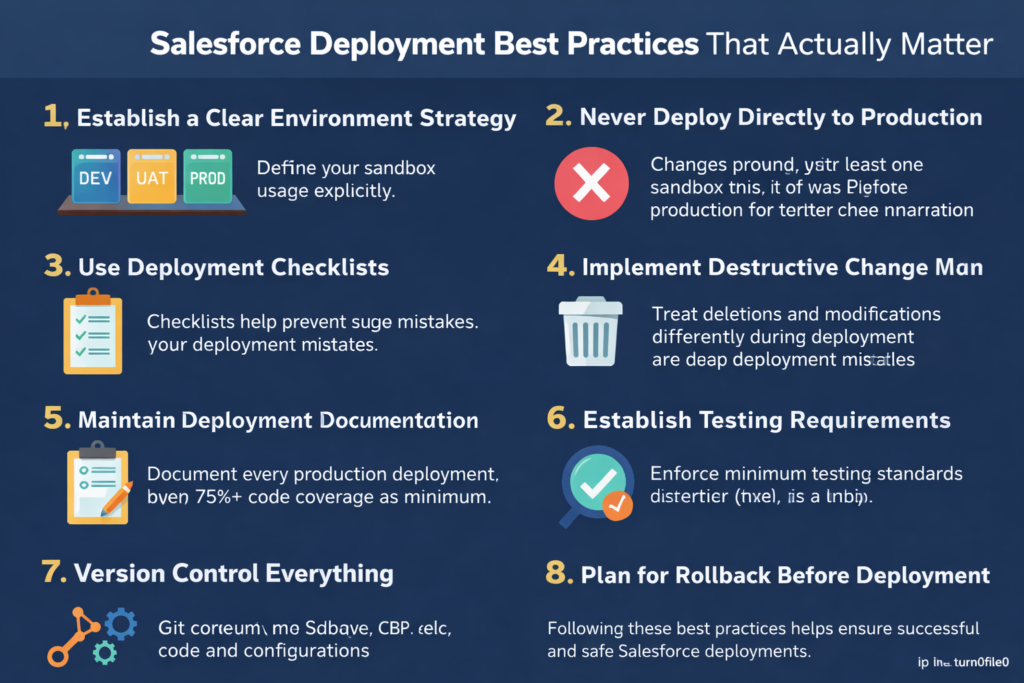
1. Establish a Clear Environment Strategy
The practice: Define your sandbox strategy explicitly and stick to it.
Why it matters: Most deployment failures trace back to environment confusion. Teams don’t know which sandbox is for what, leading to deployments from the wrong source or to the wrong target.
How to implement:
- Developer Sandboxes: Individual work environments for feature development
- Integration/UAT Sandbox: Where features merge and get tested together
- Staging/Pre-Production: Production mirror for final validation
- Production: The real deal
The brutal truth: If you can’t afford multiple sandboxes, you’re probably not ready for complex deployments anyway. Start simple and grow your environment strategy as you scale.
2. Never Deploy Directly to Production (Yes, Even for “Quick Fixes”)
The practice: Every change goes through at least one sandbox first. No exceptions.
Why it matters: That “quick fix” in production has a funny way of breaking something else. Testing in production is not testing—it’s gambling with your business.
How to implement:
- Create an emergency hotfix process that still uses a sandbox
- Set up a dedicated hotfix sandbox if needed
- Make it faster to use the proper process than to go rogue
The brutal truth: If your deployment process is so painful that people are tempted to skip it, fix the process, don’t skip the safety net. Every “one-time exception” becomes the new normal.
3. Use Deployment Checklists (Yes, Really)
The practice: Maintain a deployment checklist and review it before every deployment.
Why it matters: You will forget things. Everyone does. Checklists prevent stupid mistakes.
Your checklist should include:
- All metadata components identified and included
- Dependencies verified and included
- Test coverage meets requirements (75%+ for production)
- Deployment validated in target org
- Backup/rollback plan documented
- Stakeholders notified of deployment window
- Post-deployment validation steps identified
- Deployment scheduled during low-usage window
The brutal truth: Experienced professionals use checklists because they’ve been burned enough times. If you think you’re above checklists, you’re the person who needs them most.
4. Implement Destructive Change Management
The practice: Treat deletions and modifications differently from additions.
Why it matters: Adding new components is relatively safe. Deleting or significantly modifying existing components can break active functionality.
How to implement:
- Separate destructive changes into their own deployment
- Deploy destructive changes during maintenance windows
- Document what’s being deleted and why
- Search for dependencies before deleting (references in code, flows, validation rules, etc.)
- Consider deprecation before deletion for fields and classes
The brutal truth: Salesforce makes it too easy to delete things. Just because you can doesn’t mean you should. Every deletion should make you slightly nervous.
5. Maintain Deployment Documentation
The practice: Document every production deployment with what changed, why, and who requested it.
Why it matters: When something breaks in production (and it will), you need to know what changed recently. Your memory is not documentation.
What to document:
- Date and time of deployment
- Who performed the deployment
- Source sandbox/branch
- List of components deployed
- Business justification/ticket numbers
- Deployment validation results
- Any issues encountered and how they were resolved
The brutal truth: You’ll never regret having too much documentation. You’ll frequently regret having too little. Future you will thank present you.
6. Establish Testing Requirements
The practice: Define minimum testing standards and enforce them.
Why it matters: Salesforce allows you to deploy to production with minimal test coverage. Just because you can doesn’t mean you should.
Minimum standards:
- 75% code coverage (Salesforce minimum)
- 85%+ code coverage (actual best practice)
- All tests passing with no errors
- Test deployment in staging environment first
- Manual UAT signoff for user-facing changes
How to enforce:
- Make test coverage a gate in your deployment process
- Review test quality in code reviews, not just coverage percentage
- Write meaningful tests that actually verify functionality
The brutal truth: High test coverage with bad tests is worse than low test coverage because it gives false confidence. Focus on test quality, not just coverage percentage.
7. Version Control Everything (Even Configurations)
The practice: If it’s metadata, it should be in version control.
Why it matters: Version control is your time machine. Without it, you can’t answer “what changed?” or “how do I undo this?”
What to version control:
- All custom code (Apex, Visualforce, LWC)
- Declarative configurations (flows, validation rules, page layouts)
- Custom objects and fields
- Permission sets and profiles
- Integration configurations
How to implement with each tool:
- Change Sets: Document deployments externally in a wiki or deployment log
- Salesforce CLI: Everything goes in Git by design
- Gearset: Enable Git integration and commit all deployments
The brutal truth: If you’re not using version control in 2024, you’re not doing professional software development. Period. This is non-negotiable for any team serious about quality.
8. Plan for Rollback Before Deployment
The practice: Before deploying, know exactly how you’ll undo the changes if something goes wrong.
Why it matters: Hope is not a rollback strategy. When production breaks at 2 AM, panic-driven debugging doesn’t work well.
How to implement:
- Document the rollback procedure before deploying
- Keep backups of overwritten components
- For major deployments, take org snapshots if available
- Test rollback procedures in non-production environments
- Have rollback components ready to deploy
The brutal truth: If you can’t articulate your rollback plan in 30 seconds, you’re not ready to deploy. The time to figure out rollback is before things go wrong, not during the crisis.
9. Coordinate Deployment Timing
The practice: Deploy during low-usage windows and communicate the deployment schedule.
Why it matters: Surprising users with downtime or changed functionality is a great way to damage trust and productivity.
Best practices:
- Schedule deployments during off-hours or maintenance windows
- Notify users at least 24-48 hours in advance for major changes
- Avoid deployments before weekends (in case rollback is needed)
- Avoid month-end, quarter-end, or other business-critical periods
- Keep deployments small and frequent rather than large and infrequent
The brutal truth: That Friday afternoon deployment feels convenient until something breaks and you’re working all weekend. Deploy Tuesday-Thursday for maximum recovery time.
10. Continuously Improve Your Process
The practice: After every deployment (especially failed ones), conduct a brief retrospective.
Why it matters: The best teams get better over time. The mediocre teams repeat the same mistakes forever.
Questions to ask:
- What went well?
- What went wrong?
- What surprised us?
- What will we do differently next time?
- What should we add to our checklist?
How to implement:
- Schedule 15-minute post-deployment reviews
- Document lessons learned
- Update procedures based on findings
- Share learnings across the team
The brutal truth: You will make mistakes. That’s not the problem. Making the same mistake twice is the problem. Learn or remain mediocre—your choice.
The Verdict: Which Tool Should You Actually Use?
Here’s the honest recommendation based on team size and maturity:
For Small Teams (1-5 people, simple orgs):
Start with Change Sets, but plan your transition to CLI.
Change Sets will work fine initially, but invest time learning Salesforce CLI in parallel. You’ll outgrow Change Sets faster than you think, and transitioning mid-project is painful.
Timeline: You should transition to CLI within 6-12 months of starting serious development.
For Growing Teams (5-20 people, moderate complexity):
Use Salesforce CLI and build your DevOps practices.
You’re at the sweet spot where version control and proper development workflows become non-negotiable, but you may not have budget for expensive tools yet. Invest in learning CLI properly. Consider Gearset if budget allows, but CLI should be your foundation.
Budget consideration: If you’re spending more than 10 hours per month fighting deployment issues, Gearset probably pays for itself.
For Established Teams (20+ people, complex orgs):
Use Gearset or similar commercial DevOps platform.
At this scale, developer productivity matters more than tool costs. Gearset’s time savings, risk reduction, and compliance features typically provide strong ROI. You should still understand CLI fundamentals, but let Gearset handle the heavy lifting.
ROI calculation: If Gearset saves each team member 2 hours per month, it pays for itself at around $50/hour employee cost (including benefits).
For Enterprise Organizations (Multiple teams, multiple orgs):
Gearset is essentially mandatory, potentially supplemented with custom automation.
You need the enterprise features, compliance capabilities, and multi-org management. At this scale, you’re likely also building custom automation around Gearset’s API to support your specific workflows.
The Hybrid Approach (Often the Best Reality):
Many successful teams use a combination:
- Salesforce CLI as the foundation for version control and automation
- Change Sets for emergency hotfixes or simple admin-driven changes
- Gearset for complex deployments, comparison, and compliance
There’s no law saying you must pick only one. Use the right tool for each scenario.
The Migration Path: How to Transition Tools
If you’re currently using Change Sets and want to move to CLI or Gearset, here’s the practical migration path:
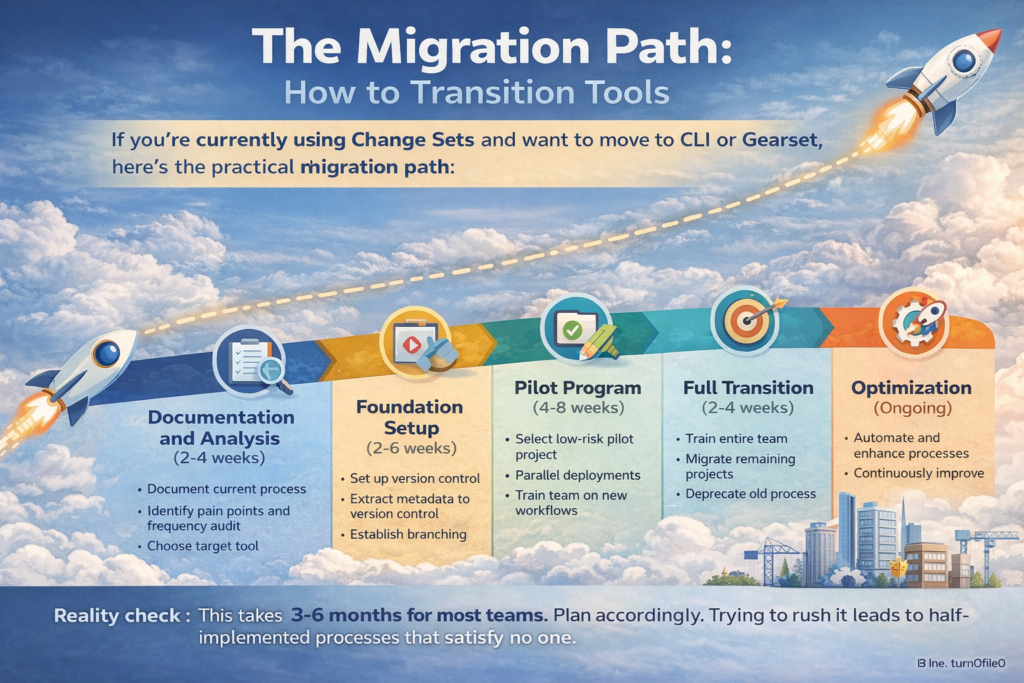
Phase 1: Documentation and Analysis (2-4 weeks)
- Document your current deployment process completely
- Identify pain points and deployment frequency
- Audit your metadata and understand what you’re deploying
- Choose your target tool based on team reality (not aspirations)
Phase 2: Foundation Setup (2-6 weeks)
- Set up version control (Git repository structure)
- Extract current production metadata to version control
- Establish branching strategy
- Set up target tool (CLI scripts or Gearset account)
- Create documentation for the new process
Phase 3: Pilot Program (4-8 weeks)
- Select a low-risk project as your pilot
- Run parallel deployments (new process + old process)
- Train the team on new workflows
- Collect feedback and refine processes
- Document lessons learned
Phase 4: Full Transition (2-4 weeks)
- Train entire team on new process
- Migrate remaining projects to new workflow
- Deprecate old process
- Establish new process as standard
Phase 5: Optimization (Ongoing)
- Implement automation (CI/CD if using CLI)
- Add advanced features (automated testing, deployment monitoring)
- Continuously improve based on retrospectives
Reality check: This takes 3-6 months for most teams. Plan accordingly. Trying to rush it leads to half-implemented processes that satisfy no one.
Common Deployment Mistakes to Avoid
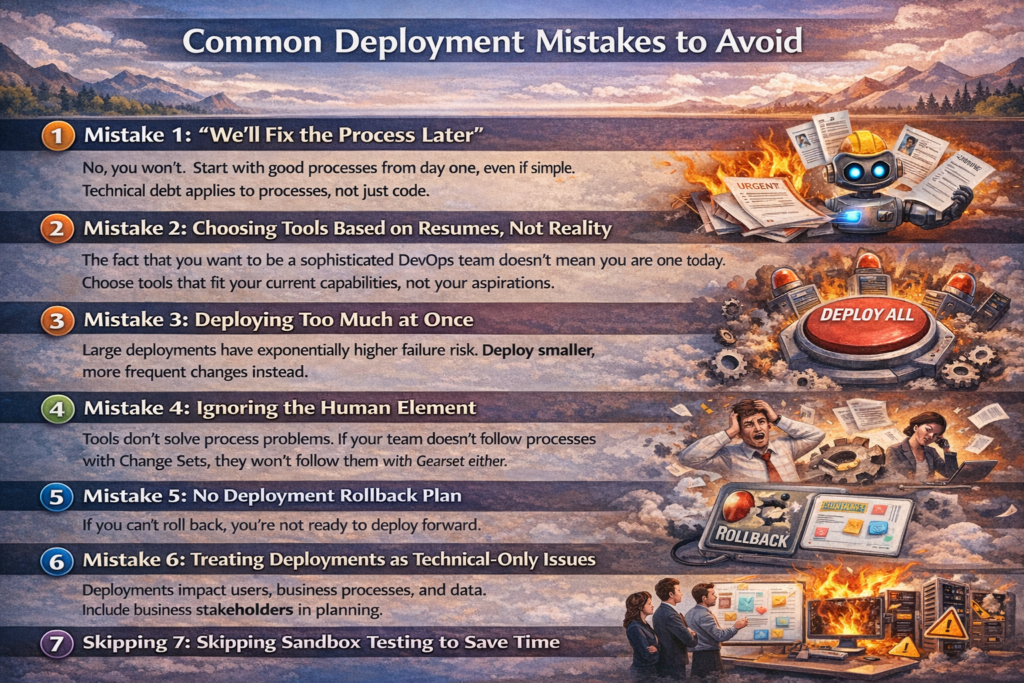
Let me save you some pain by highlighting mistakes I’ve seen repeatedly:
Mistake 1: “We’ll Fix the Process Later”
No, you won’t. Start with good processes from day one, even if simple. Technical debt applies to processes, not just code.
Mistake 2: Choosing Tools Based on Resumes, Not Reality
The fact that you want to be a sophisticated DevOps team doesn’t mean you are one today. Choose tools that fit your current capabilities, not your aspirations.
Mistake 3: Deploying Too Much at Once
Large deployments have exponentially higher failure risk. Deploy smaller, more frequent changes instead.
Mistake 4: Ignoring the Human Element
Tools don’t solve process problems. If your team doesn’t follow processes with Change Sets, they won’t follow them with Gearset either.
Mistake 5: No Deployment Rollback Plan
If you can’t roll back, you’re not ready to deploy forward.
Mistake 6: Treating Deployments as Technical-Only Issues
Deployments impact users, business processes, and data. Include business stakeholders in planning.
Mistake 7: Skipping Sandbox Testing to Save Time
Testing in production is not testing. It’s crossing your fingers and hoping. Hope is not a strategy.
Final Thoughts: The Uncomfortable Truth About Deployments
Here’s what no one wants to say: Your deployment problems are probably not tool problems.
Yes, tools matter. Better tools make good processes easier. But if your fundamental approach is broken—no clear environment strategy, no testing discipline, no deployment documentation—no tool will save you.
I’ve seen teams with Change Sets deploy more reliably than teams with expensive DevOps platforms because they had disciplined processes. I’ve also seen teams waste Gearset licenses because they expected the tool to magically fix their chaos.
Start with process. Then choose tools that support your process.
The salesforce deployment best practices outlined in this post work regardless of whether you’re using Change Sets, Salesforce CLI, or Gearset. The tool amplifies your approach—for better or worse.
My Honest Recommendation:
- If you’re just starting: Use Change Sets to learn Salesforce deployments, but plan your CLI transition from day one.
- If you’re serious about development: Invest time in learning Salesforce CLI properly. Yes, it’s hard. Yes, it’s worth it.
- If you have budget and value time: Get Gearset once you’re doing weekly deployments or have more than 5 team members. It’s expensive but usually worth it.
- If you’re an enterprise: You should already be using Gearset or building equivalent internal tooling. If you’re not, you’re leaving money on the table through inefficiency.
But most importantly: Stop making excuses and start improving your deployment process today. Whether that’s creating a deployment checklist, setting up your first Git repository, or finally pulling the trigger on that Gearset trial, forward progress beats perfect planning.
Your future self—the one dealing with your next production incident—will thank you.
About RizeX Labs
At RizeX Labs, we specialize in delivering high-quality Salesforce solutions tailored for modern businesses. From deployment automation to DevOps strategy, our expertise spans tools like Change Sets, Salesforce CLI, and Gearset.
We combine real-world implementation experience with best practices to help organizations reduce deployment risks, improve release velocity, and maintain system integrity across environments.
Our goal is simple: eliminate messy deployments and replace them with structured, scalable, and reliable release processes.
Internal Links:
- Salesforce Field Service Lightning (FSL): Overview, Features & Career Scope
- How Long Does It Take to Learn Salesforce and Get a Job? Honest Timeline (India, 2026)
- How to Get Your First Salesforce Job with Zero Experience in India: The 2026 Reality Check
- How to Use Salesforce Reports & Dashboards: A Beginner’s Practical Guide
- Salesforce Trailhead vs Paid Training: Which Is Better for Getting a Job in India (2026)?
- Top Companies Hiring Salesforce Professionals in Pune in 2026: Your Complete Career Guide
- Salesforce Flows vs Apex: When Should You Use Code vs No-Code Automation?
- Salesforce Nonprofit Cloud: Features, Use Cases, and Career Opportunities (2026 Guide)
- Salesforce Net Zero Cloud: What It Is and Why It’s the Next Green Career Niche (2026 Guide)
- Salesforce Slack Integration: How It Works and What Developers Need to Know
- Salesforce Named Credentials: What They Are and How to Use Them Safely
- Salesforce Deployment Best Practices: Change Sets vs Salesforce CLI vs Gearset
External Links:
McKinsey Sales Growth Reports
Gartner Sales Automation Insights
Quick Summary
Salesforce deployment isn’t just about moving metadata — it’s about controlling risk, ensuring consistency, and scaling development efficiently. Change Sets are simple but limited — fine for small teams, terrible for scale. Salesforce CLI (SFDX) gives you power and flexibility but demands technical skill and discipline. Gearset automates and simplifies DevOps, making it ideal for teams that want speed without sacrificing control. If you’re still relying only on Change Sets, you’re already behind. Modern teams use CLI or DevOps tools to stay competitive. The bottom line: Manual deployments slow you down. Automated, version-controlled deployments move you forward.