
Introduction: The Confusion That Stops Most Learners in Their Tracks
Salesforce Einstein Analytics vs Tableau CRM ,You open Salesforce’s product page looking for an analytics tool. You see “Einstein Analytics.” You scroll a little more and find “Tableau CRM.” Then maybe “CRM Analytics.” And suddenly, you are not sure if these are three different tools, the same tool with different names, or something else entirely.
You are not alone. This confusion is one of the most common pain points among Salesforce learners and professionals trying to navigate the analytics space.
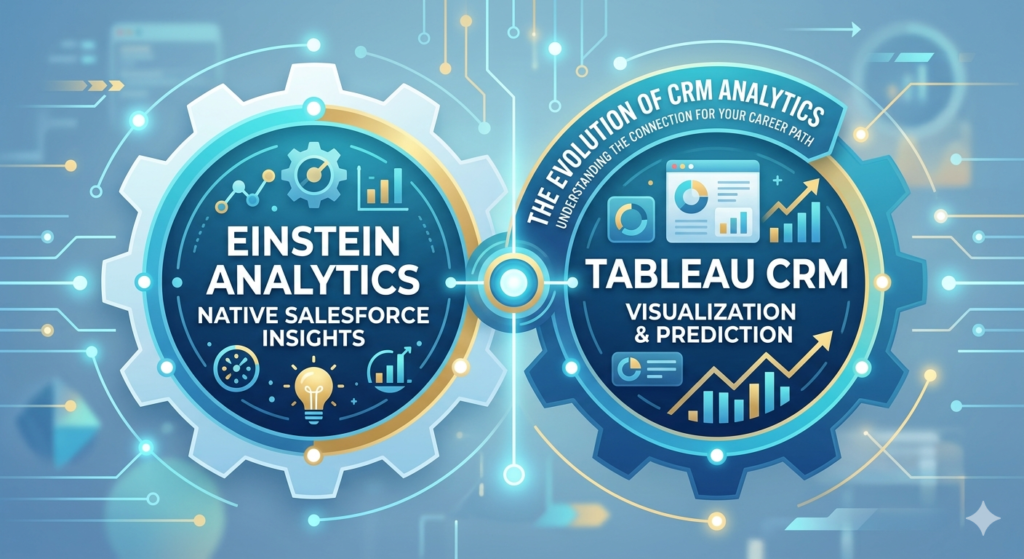
Here is the simple truth: Salesforce Einstein Analytics and Tableau CRM are deeply connected — and understanding that connection is the first step to making the right learning decision for your career.
In this guide, we will break down both tools clearly, compare them feature by feature, and help you decide exactly which one deserves your time and energy. Whether you are exploring salesforce CRM analytics for the first time or looking to upskill as a seasoned Salesforce professional, this post has everything you need.
What Is Salesforce Einstein Analytics?
Salesforce Einstein Analytics was launched in 2016 as Salesforce’s native business intelligence and analytics platform. It was built directly on the Salesforce platform, which made it deeply integrated with CRM data from day one.
Think of Einstein Analytics as the brain behind your Salesforce data. It could take raw CRM data — opportunities, leads, cases, accounts — and turn it into visual dashboards, predictive scores, and AI-powered insights.
Key Capabilities of Einstein Analytics
- Pre-built dashboards for sales, service, and marketing teams
- AI-powered predictions using Einstein’s machine learning models
- Natural language querying — ask questions in plain English and get visual answers
- Mobile-first design — dashboards worked seamlessly on mobile devices
- Embedded analytics — insights displayed directly inside Salesforce records
The Learning Curve
For beginners, Einstein Analytics was approachable because it was tightly coupled with Salesforce data. If you already knew Salesforce basics, picking up Einstein Analytics felt like a natural next step.
An einstein analytics tutorial typically covers dashboard building, lens exploration, dataflows, and basic SAQL (Salesforce Analytics Query Language) — the query language used to manipulate data inside the platform.
The tool was powerful, but it had limitations. It was primarily designed to work with Salesforce data, and connecting external data sources required extra effort. That limitation eventually led Salesforce to evolve the product significantly.
📌 External Reference: Learn more about Einstein Analytics history on the Salesforce official documentation page.
What Is Tableau CRM?
Here is where the story gets interesting — and where most of the confusion begins.
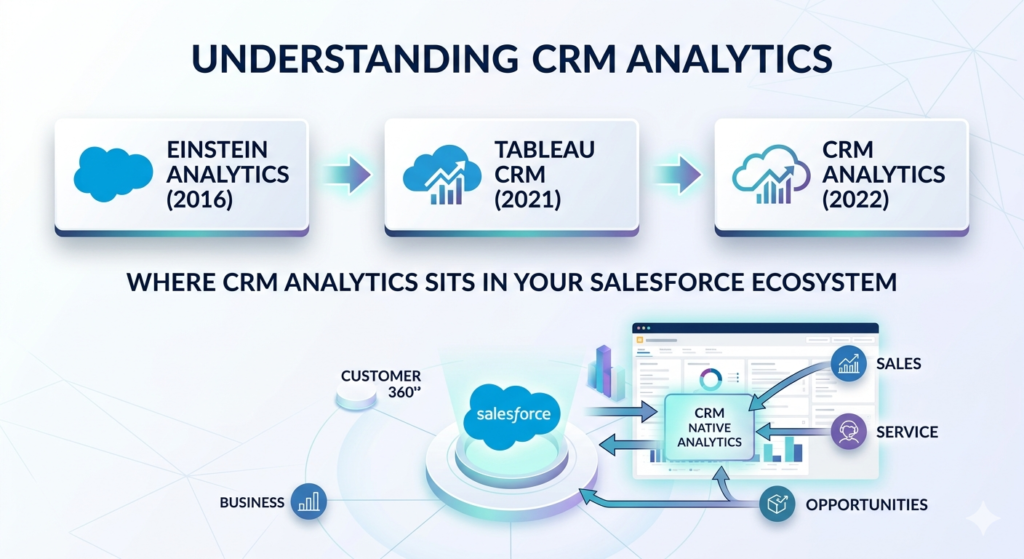
In 2019, Salesforce acquired Tableau, a leading standalone data visualization company. Following the acquisition, Salesforce rebranded Einstein Analytics as Tableau CRM in 2021. Then, in 2022, they renamed it again to CRM Analytics.
So when people say Einstein Analytics, Tableau CRM, or CRM Analytics today — they are largely referring to the same evolving platform. The name changed. The underlying product matured. The capabilities expanded significantly.
How Tableau CRM Fits Into the Salesforce Ecosystem
Tableau CRM sits inside the Salesforce platform and is designed for Salesforce-native analytics. It works with your CRM data directly and embeds insights right where your sales and service teams work — inside Salesforce records, opportunity pages, and dashboards.
It is different from Tableau Desktop or Tableau Online, which are standalone tools that can connect to virtually any data source and are used more broadly across an organization, not just within Salesforce.
The Evolution at a Glance
textEinstein Analytics (2016) → Tableau CRM (2021) → CRM Analytics (2022)
Understanding this timeline is critical. When you search for an einstein analytics tutorial today, you will find content that covers what is now called CRM Analytics or Tableau CRM. The core skills are transferable.
Key Differences: Salesforce Einstein Analytics vs Tableau CRM
Now let us get into the heart of the matter — the direct comparison of salesforce einstein analytics vs tableau crm.
Comparison Table
| Feature | Einstein Analytics (Legacy) | Tableau CRM / CRM Analytics |
|---|---|---|
| Launch Year | 2016 | 2021 (rebranded) |
| Current Name | Deprecated (now CRM Analytics) | CRM Analytics (2022+) |
| Data Sources | Primarily Salesforce data | Salesforce + external data sources |
| AI Capabilities | Basic Einstein predictions | Advanced AI, Einstein Discovery |
| UI/UX | Dashboard and lens-based | Enhanced, more intuitive interface |
| Natural Language | Limited | Improved NLQ support |
| Embedded Analytics | Yes | Yes (more deeply integrated) |
| External Data | Limited | Improved via connectors |
| Learning Difficulty | Moderate | Moderate to Advanced |
| Standalone Use | No — Salesforce-native only | No — Salesforce-native only |
| Certification | Einstein Analytics and Discovery | CRM Analytics and Einstein Discovery |
| Mobile Support | Yes | Yes (improved) |
| Pricing | Add-on to Salesforce | Add-on to Salesforce |
Key Takeaway
Einstein Analytics was the foundation. Tableau CRM / CRM Analytics is the evolution. If you are learning today, you should focus on CRM Analytics — but understanding the Einstein Analytics roots will give you important context, especially when working with legacy implementations.
Tableau CRM Features — A Deep Dive
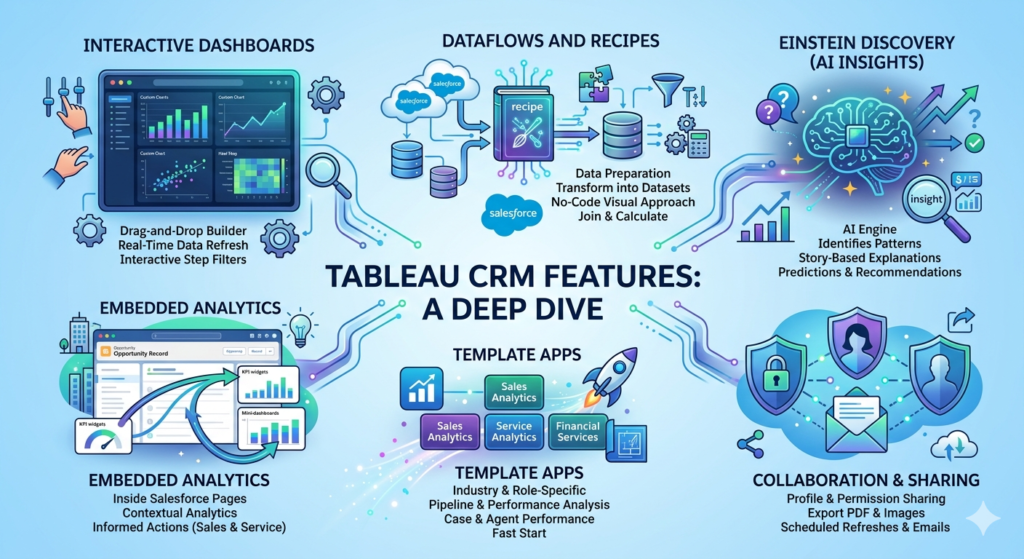
Let us now explore the most important tableau crm features that make this platform stand out.
1. Interactive Dashboards
Tableau CRM dashboards are rich, visual, and interactive. Users can filter, drill down, and explore data without needing to write any code.
- Drag-and-drop dashboard builder
- Real-time data refresh from Salesforce objects
- Custom chart types including bar, line, scatter, heat maps, and more
- Step filters that allow users to narrow down data interactively
2. Dataflows and Recipes
This is where Tableau CRM handles data preparation — one of its most powerful and unique capabilities.
- Dataflows pull data from Salesforce objects and transform it into datasets
- Recipes offer a more visual, no-code approach to data transformation
- You can join data from multiple objects, apply filters, and create calculated fields
- This processed data becomes the foundation for all your dashboards and AI insights
3. Einstein Discovery (AI Insights)
Einstein Discovery is the AI engine embedded within Tableau CRM.
- Automatically identifies patterns in your data
- Provides story-based explanations — it tells you not just what happened, but why
- Makes predictions about future outcomes (e.g., likelihood of an opportunity closing)
- Suggests actionable recommendations for sales reps directly on Salesforce records
4. Embedded Analytics
This is one of the most business-critical tableau crm features.
- Dashboards and KPI widgets can be embedded directly inside any Salesforce page layout
- A sales rep viewing an Opportunity record can see related analytics right there without switching tabs
- Service agents can see customer health scores on Case records
- This removes the barrier between data and action
5. Template Apps
Salesforce provides industry-specific and role-specific template apps within CRM Analytics.
- Sales Analytics App — pipeline analysis, rep performance, forecasting
- Service Analytics App — case trends, agent performance, CSAT
- Financial Services Analytics — for banking and insurance use cases
- These templates give teams a fast start without building from scratch
6. Collaboration and Sharing
- Dashboards can be shared with Salesforce users based on profiles and permission sets
- Export options for PDF and image formats
- Scheduled dashboard refreshes and email delivery
Use Cases: Where CRM Analytics Shines
Understanding real-world applications helps you see the true value of this platform.
Sales Analytics
Sales managers use Tableau CRM to track pipeline health, monitor quota attainment, and identify at-risk deals. Einstein Discovery predicts which opportunities are most likely to close, allowing reps to prioritize their efforts.
Financial Forecasting
Finance teams embed revenue dashboards directly into Salesforce to track actual vs. forecasted numbers in real time. This eliminates the need for manual spreadsheet reporting.
Customer Insights
Marketing and success teams analyze customer behavior patterns — churn risk, engagement scores, product usage — to proactively intervene before customers leave.
Industry-Specific Examples
- Healthcare: Patient appointment trends and resource utilization
- Retail: Sales performance by region and product category
- Financial Services: Loan pipeline tracking and compliance monitoring
- Manufacturing: Order management and supply chain visibility
Which One Should You Learn? Einstein Analytics or Tableau CRM?
This is the question you came here to answer. Let us make it simple.
If You Are a Beginner
Start with CRM Analytics (formerly Tableau CRM). It is the current, supported, and actively developed version of the platform. Learning Einstein Analytics as it existed in 2016–2020 is no longer practical because the product has evolved.
Focus on:
- Dashboard building and lens exploration
- Data recipes for data preparation
- Embedding dashboards in Salesforce pages
- Einstein Discovery basics
If You Are an Experienced Salesforce Professional
Go deeper into CRM Analytics and Einstein Discovery. Focus on:
- Advanced SAQL queries
- Complex dataflow transformations
- Custom AI model integration
- Building and deploying template apps
Career Opportunities
The demand for Salesforce analytics professionals is growing rapidly. Companies are investing heavily in data-driven sales operations, and CRM Analytics skills are increasingly on job descriptions.
Common roles include:
- CRM Analytics Developer
- Salesforce Business Intelligence Analyst
- Einstein Analytics Consultant
- Salesforce Data Analyst
Certification Path
Salesforce offers the CRM Analytics and Einstein Discovery Consultant certification. This is the exam to target if you want to validate your skills professionally.
📌 External Reference: Review the official exam guide on the Salesforce Certification page.
The certification covers:
- Data integration and preparation
- Dashboard and lens design
- Security and access
- Einstein Discovery storytelling and deployment
Benefits of Salesforce CRM Analytics
Here is why organizations invest in salesforce CRM analytics despite the learning curve.
Data-Driven Decision Making
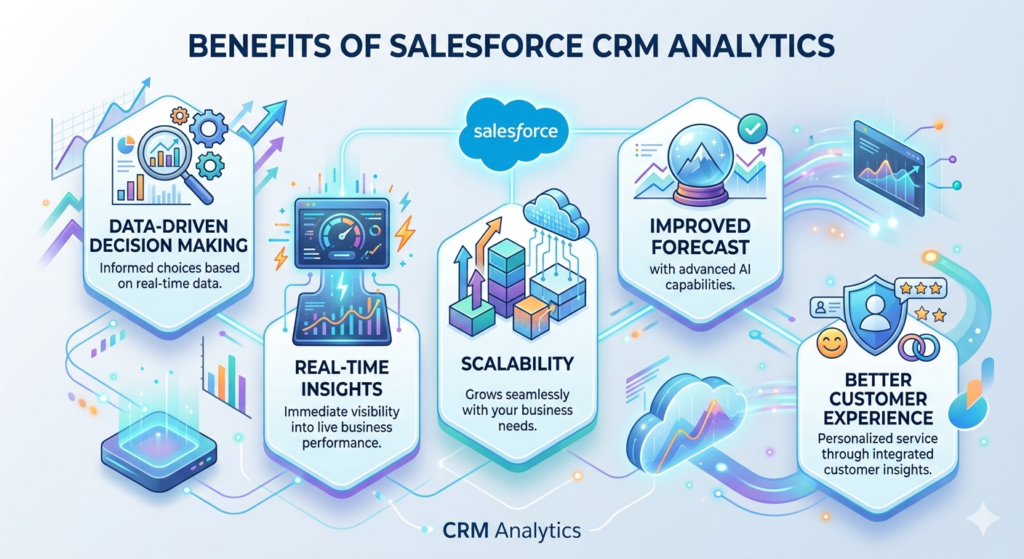
Instead of relying on gut feeling, sales leaders make decisions backed by real-time data. Every pipeline review, every coaching conversation, and every strategy session is informed by actual numbers.
Real-Time Insights
CRM Analytics connects directly to live Salesforce data. When a deal stage changes, dashboards reflect it immediately. There is no waiting for nightly data syncs or manual report exports.
Scalability
Whether you are a 10-person startup or a 10,000-employee enterprise, CRM Analytics scales with your business. New data sources, new dashboards, and new AI models can be added as your needs grow.
Improved Forecast Accuracy
Einstein Discovery’s predictive capabilities dramatically improve forecast accuracy. Sales teams know which deals to push, which need attention, and which are unlikely to close — all before it is too late to act.
Better Customer Experience
When service agents have instant access to customer history and sentiment scores on their Case records, they can personalize interactions and resolve issues faster — improving satisfaction and retention.
Common Challenges and Limitations
No tool is perfect. Here are the honest limitations you should know before committing.
Cost
CRM Analytics is an add-on license, not included in standard Salesforce plans. For smaller businesses, the cost can be a barrier. Enterprise licenses can be expensive, especially when combined with Einstein Discovery.
Complexity of Data Preparation
Building dataflows and recipes requires a solid understanding of your data model. If your Salesforce org has messy data or inconsistent field naming, data preparation can become very time-consuming.
Limited External Data Connectivity
Compared to standalone Tableau, CRM Analytics has more limited options for connecting to external databases. While connectors exist for tools like Snowflake and Amazon S3, the process is not as seamless as it is in Tableau Desktop.
SAQL Learning Curve
For advanced dashboard customization, you need to learn SAQL. This is not a mainstream query language, so community resources are fewer compared to SQL or Python.
Governance and Security Setup
Row-level security and dataset sharing rules require careful configuration. Getting this wrong can lead to data being visible to the wrong users, which is a serious risk in enterprise environments.
Conclusion: Make the Smart Learning Choice
The debate between Salesforce Einstein Analytics vs Tableau CRM is really a story of evolution, not competition. Einstein Analytics laid the groundwork, and Tableau CRM (now CRM Analytics) built on that foundation to become a genuinely powerful enterprise analytics platform.
Our clear recommendation: Learn CRM Analytics. It is the present and the future of Salesforce-native analytics. Whether you want to build stunning dashboards, automate AI-powered insights, or embed data directly into the tools your sales team uses every day — CRM Analytics gives you the skills to do all of it.
The future of business is data-driven. Companies that can turn their CRM data into actionable insights will outperform those that cannot. By mastering Salesforce CRM analytics, you are not just adding a skill to your resume — you are positioning yourself at the center of that transformation.
Start with Salesforce Trailhead’s free CRM Analytics modules. Build a hands-on project. Pursue the certification. The career opportunities waiting on the other side are well worth the investment.
About RizeX Labs
At RizeX Labs, we specialize in delivering cutting-edge Salesforce solutions, including advanced CRM analytics implementations using Einstein Analytics and Tableau CRM. Our expertise combines deep technical knowledge, industry best practices, and real-world implementation experience to help businesses turn raw data into actionable insights and smarter decisions.
We empower organizations to transform their analytics approach—from static reports and disconnected dashboards to fully interactive, AI-powered analytics solutions that drive visibility, efficiency, and business growth.
Internal Links:
- Link to your Salesforce course page
- How to Build a Salesforce Portfolio That Gets You Hired (With Project Ideas)
- Salesforce Admin vs Developer: Which Career Path is Right for You in 2026?
- Wealth Management App in Financial Services Cloud
- Salesforce Admin course page
External Links:
- Salesforce official website
- Salesforce CRM Analytics overview
- Salesforce documentation
- Salesforce AppExchange
- Tableau official website
Quick Summary
Salesforce Einstein Analytics and Tableau CRM are powerful tools designed to help businesses analyze data and gain meaningful insights. While Einstein Analytics represents the earlier evolution of Salesforce’s analytics capabilities, Tableau CRM builds upon it with enhanced features, improved usability, and deeper integration within the Salesforce ecosystem.
By leveraging Salesforce CRM analytics, organizations can move beyond traditional reporting to interactive dashboards, AI-driven insights, and real-time data visualization. These tools enable teams to make data-driven decisions, forecast trends, and uncover hidden opportunities.
Understanding the difference between Salesforce Einstein Analytics vs Tableau CRM is essential for professionals looking to build a career in analytics or for businesses planning to implement the right solution. Choosing the right tool depends on your learning goals, business needs, and the level of analytics maturity required.
