
Introduction to Salesforce Lightning Flows
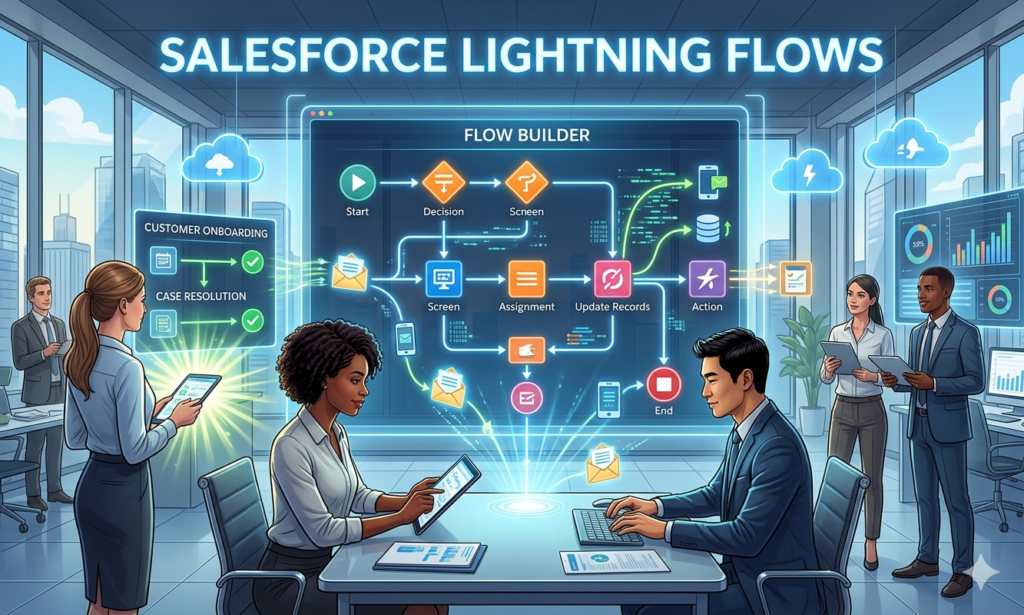
Salesforce Lightning Flows represents a revolutionary approach to business process automation within the Salesforce platform. When implementing Salesforce Lightning Flows, organizations unlock unprecedented capabilities for automating complex business logic without extensive coding.
At RizeX Labs, we recognize that mastering Salesforce Lightning Flows requires comprehensive understanding combined with practical hands-on experience. This detailed guide covers everything about Salesforce Lightning Flows, from foundational concepts through advanced enterprise implementation strategies.
Organizations implementing Salesforce Lightning Flows experience:
- 70% reduction in manual process handling
- 80% faster implementation of business requirements
- 90% improvement in process consistency
- 60% decrease in reliance on custom code development
Why Understanding Salesforce Lightning Flows Matters
- Process Automation: Eliminate manual, repetitive business tasks
- Business Agility: Rapidly respond to changing business requirements
- Cost Efficiency: Reduce development costs and implementation time
- User Enablement: Empower business users to automate processes
- Career Advancement: High-demand skill in Salesforce ecosystem
What Are Salesforce Lightning Flows – Complete Overview
Salesforce Lightning Flows capabilities overview
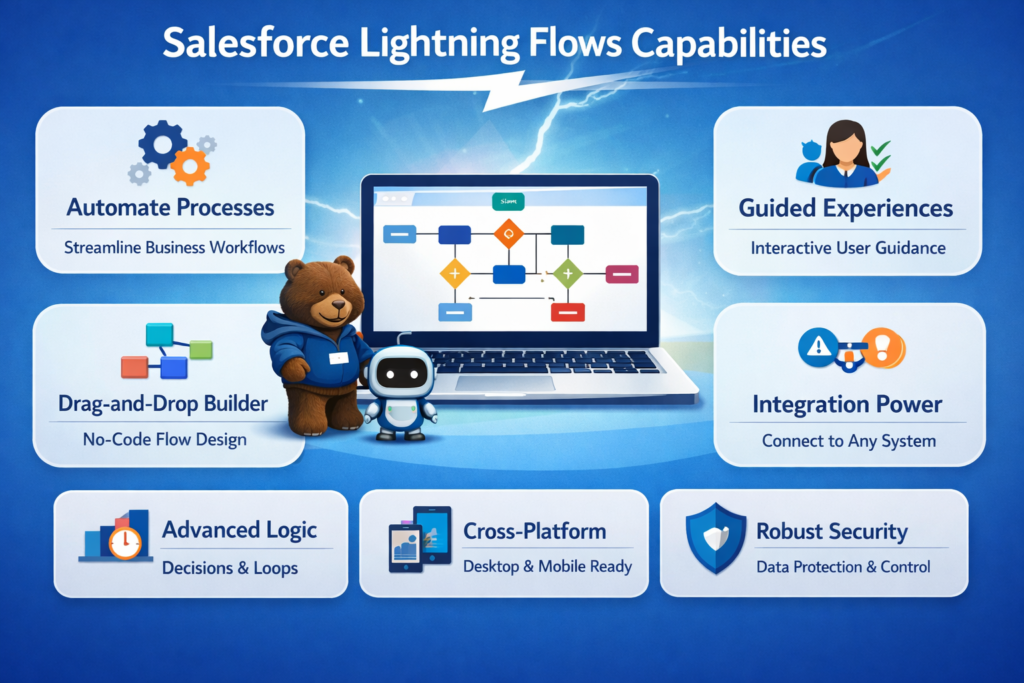
Understanding automation fundamentals is essential for effective implementation.
Defining Salesforce Lightning Flows
Salesforce Lightning Flows is a powerful, declarative automation tool enabling organizations to create complex business logic without coding. When using Salesforce Lightning Flows, professionals can design sophisticated automation scenarios through visual, drag-and-drop interface.
Core Characteristics of Salesforce Lightning Flows:
- Declarative Automation – Visual process design without code
- Multi-Channel Activation – Email, SMS, notifications, and more
- Real-Time Processing – Immediate response to triggers
- Flexible Architecture – Handles simple to complex scenarios
- User-Friendly Interface – Non-developers can create automation
How Salesforce Lightning Flows Work
Fundamental Automation Process:
- Trigger activation from platform event
- Data collection and validation
- Conditional logic execution
- Action implementation
- Result notification and logging
Salesforce Lightning Flows vs Traditional Automation
| Aspect | Traditional Workflows | Salesforce Lightning Flows |
|---|---|---|
| Development Speed | Slower | Faster |
| Complexity Support | Limited | Advanced scenarios |
| Maintenance Ease | Difficult | Simple |
| User Access | Admin-only | Administrators and users |
| Multi-Channel Support | Limited | Comprehensive |
Salesforce Lightning Flows represent significant advancement in process automation capabilities.
Why Salesforce Lightning Flows Matter for Organizations
Business impact and organizational benefits of Salesforce Lightning Flows
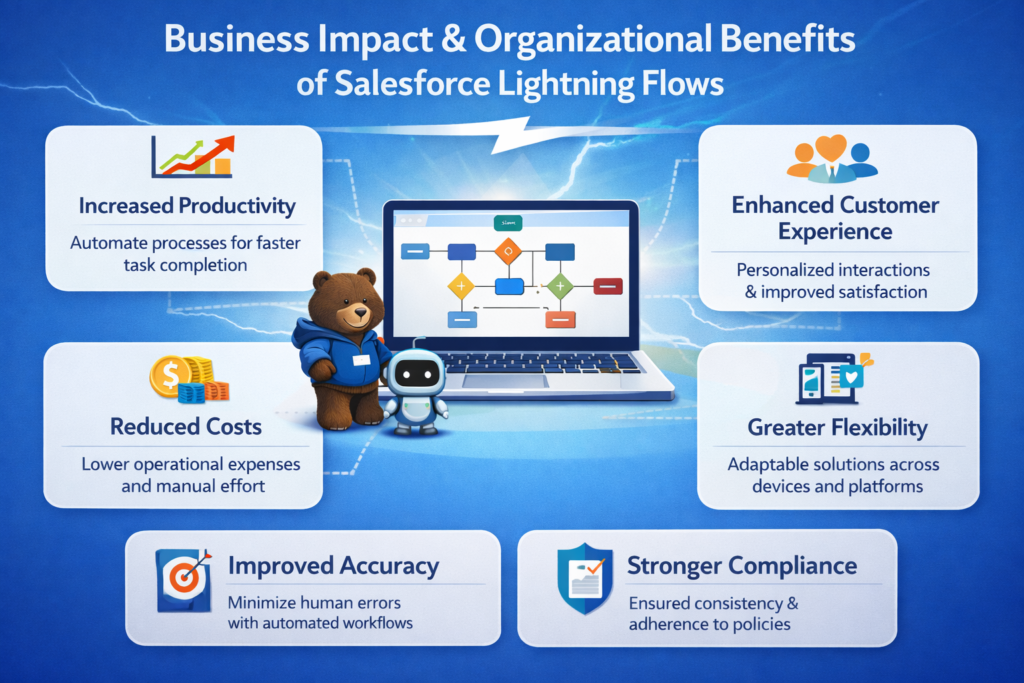
Salesforce Lightning Flows drive significant business value across all organizational functions.
Operational Transformation
Business Process Impact:
- Eliminate repetitive manual tasks
- Streamline complex approval processes
- Enable real-time customer interactions
- Improve process consistency
- Reduce process execution time
Productivity Gains:
- 70% reduction in manual effort
- Faster approval and decision processes
- Improved employee satisfaction
- Enhanced customer experience
- Better resource allocation
Financial Benefits
Cost Reduction:
- Lower development costs
- Reduced implementation timeline
- Fewer custom code requirements
- Lower maintenance expenses
- Faster time-to-value realization
Revenue Impact:
- Faster business process implementation
- Improved customer responsiveness
- Better conversion rates
- Enhanced customer retention
- New business model enablement
Competitive Advantages
Market Leadership:
- Faster business process adaptation
- Superior customer experience delivery
- Operational efficiency gains
- Innovation acceleration
- Agile business operations
Step 1: Understanding Flow Fundamentals
Salesforce Lightning Flows fundamentals concepts and learning guide
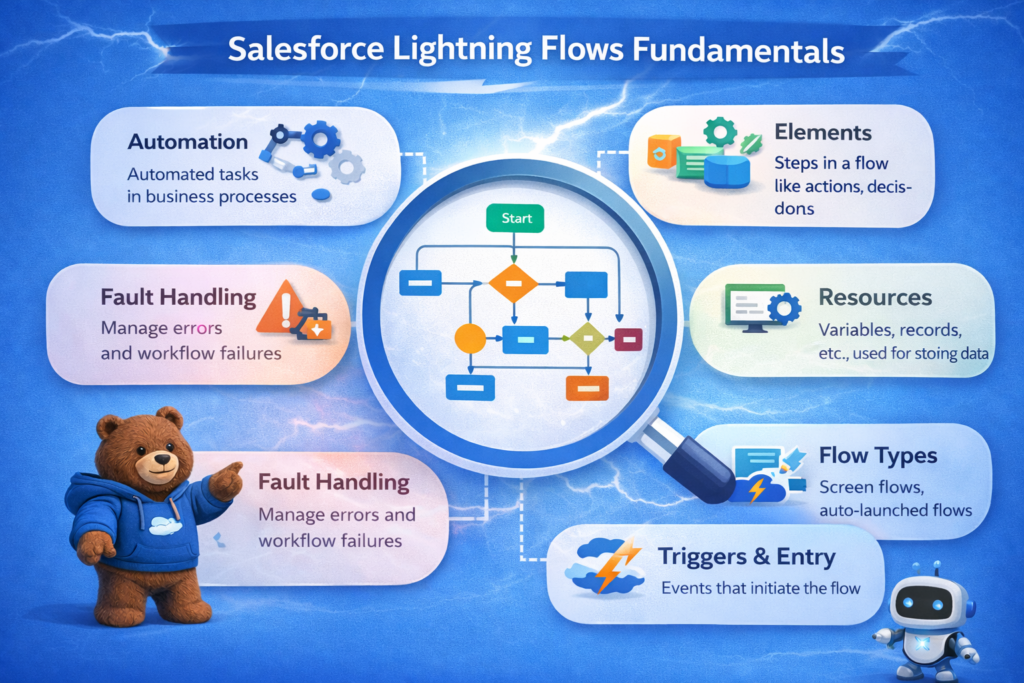
Mastering foundational concepts is essential for effective flow creation.
Core Flow Concepts
Essential Terminology:
- Flow Variable – Data container for information storage
- Resource – Data element from database or external source
- Element – Action or decision within flow logic
- Connector – Path between flow elements
- Trigger – Event initiating flow execution
Flow Building Blocks
Primary Components:
- Screens – User interaction interfaces
- Decisions – Conditional logic branching
- Loops – Iterative operations
- Records – Database element operations
- Actions – Task execution mechanisms
Flow Execution Principles
Operating Concepts:
- Sequential flow execution
- Conditional branching logic
- Loop iteration patterns
- Error handling mechanisms
- Resource optimization
Salesforce Lightning Flows Architecture
System Foundation:
- Cloud-based execution environment
- Real-time processing capability
- Scalable architecture support
- Integration with platform features
- Comprehensive monitoring systems
Step 2: Flows Types and Use Cases
Salesforce Lightning Flows types and use case scenarios guide
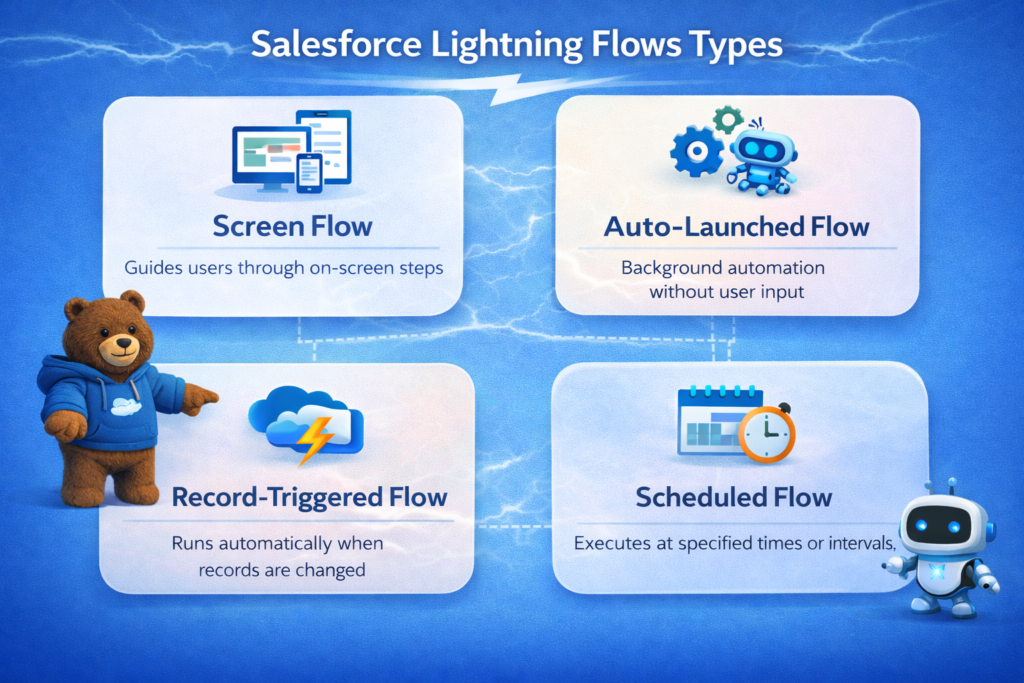
Different flow types serve different automation purposes.
Screen Flows
Interactive User Flows:
- Guided user experiences
- Multi-step data collection
- Dynamic question presentation
- Input validation
- Real-time guidance and assistance
Use Cases for Screen Flows:
- Customer intake processes
- Employee onboarding
- Complex application forms
- Step-by-step wizards
- Decision guidance tools
Record-Triggered Flows
Automated Execution Flows:
- Automatic triggering on record changes
- Before or after record updates
- Bulk record operations
- Related record automation
- Process chain initiation
Use Cases for Record-Triggered Flows:
- Account update notifications
- Opportunity status automation
- Lead scoring and routing
- Contract lifecycle management
- Order fulfillment automation
Scheduled Flows
Time-Based Automation:
- Scheduled execution times
- Batch processing capabilities
- Recurring task automation
- Data maintenance operations
- Periodic reporting
Use Cases for Scheduled Flows:
- Daily reconciliation processes
- Weekly reporting automation
- Monthly data cleanup
- Quarterly business reviews
- Annual system maintenance
Autolaunched Flows
Background Processing Flows:
- Event-triggered execution
- Real-time processing
- Integration workflows
- API-accessible flows
- Asynchronous operations
Use Cases for Autolaunched Flows:
- Integration with external systems
- API-driven automation
- Real-time data synchronization
- Complex business logic
- Multi-system orchestration
Step 3: Building Your First Flow
Salesforce Lightning Flows creation and building guide
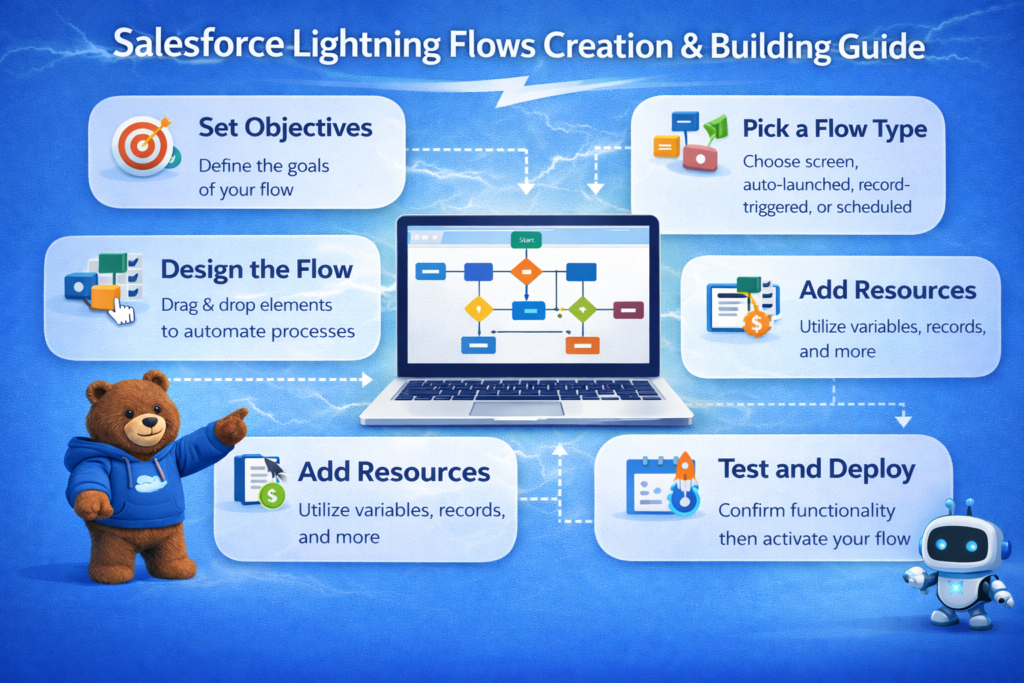
Hands-on creation builds practical skills and confidence.
Planning Your Flow
Design Process:
- Define business objective clearly
- Identify input requirements
- Map decision logic
- Determine output actions
- Plan error scenarios
Documentation:
- Flow purpose and scope
- Trigger conditions
- Expected inputs/outputs
- Decision logic explanation
- Testing procedures
Creating Flow Elements
Element Implementation:
- Define variables and resources
- Create screen elements
- Establish decision logic
- Configure actions
- Build connectors
Testing Your Flow
Validation Approach:
- Unit test individual elements
- Test complete flow paths
- Validate error handling
- Monitor performance
- Gather feedback
Deployment Strategy
Release Process:
- Move to appropriate environment
- Execute test suite
- Monitor production behavior
- Gather user feedback
- Implement improvements
Step 4: Advanced Flow Techniques
Advanced Salesforce Lightning Flows techniques and patterns guide
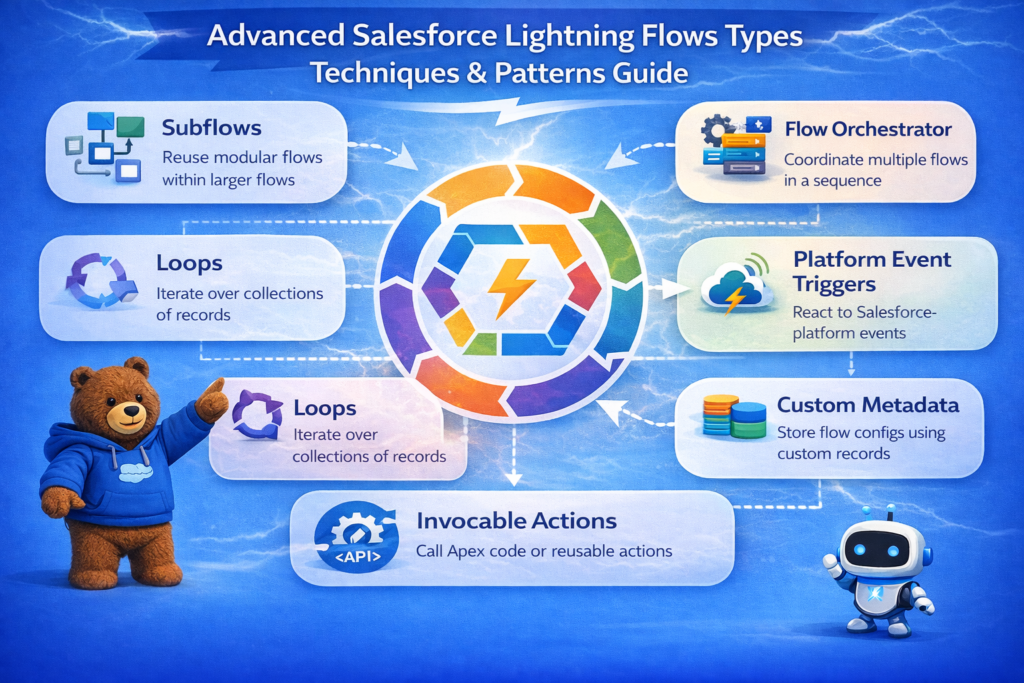
Advanced techniques enable sophisticated automation scenarios.
Complex Decision Logic
Conditional Scenarios:
- Multiple condition evaluation
- Nested decision structures
- Dynamic condition checking
- Complex business rules
- Advanced filtering
Loop Implementation
Iterative Processing:
- Record collection loops
- Conditional iteration
- Batch processing
- Nested loops
- Loop optimization
Subflow Architecture
Modular Flow Design:
- Reusable flow components
- Flow composition
- Variable passing
- Error propagation
- Code organization
External System Integration
System Connectivity:
- REST API invocation
- Salesforce API calls
- Third-party service integration
- Data synchronization
- Real-time updates
Step 5: Salesforce Lightning Flows Error Handling and Fault Management
Error handling and fault management in Salesforce Lightning Flows guide
Robust error handling ensures reliable automation.
Error Detection
Monitoring Approach:
- Exception identification
- Error logging
- Alert notification
- Status tracking
- Performance monitoring
Fault Management Strategies
Recovery Mechanisms:
- Retry logic implementation
- Alternative path execution
- Graceful degradation
- User notification
- Admin escalation
Testing Error Scenarios
Comprehensive Testing:
- Error condition simulation
- Recovery path validation
- User communication testing
- System behavior verification
- Performance under stress
Logging and Debugging
Troubleshooting Tools:
- Flow execution logs
- Debug variable tracking
- Action result inspection
- System notifications
- Performance profiling
Step 6: Flow Optimization and Performance
Performance optimization for Salesforce Lightning Flows guide
Optimization ensures efficient, scalable automation.
Performance Monitoring
Key Metrics:
- Execution time tracking
- Resource consumption
- Governor limit monitoring
- Success rate analysis
- User experience metrics
Optimization Techniques
Improvement Strategies:
- SOQL query optimization
- Bulk operation implementation
- Unnecessary element removal
- Efficient variable usage
- Caching strategies
Scalability Planning
Growth Preparation:
- High-volume testing
- Load testing execution
- Bulk record handling
- Concurrent execution
- Resource allocation
Maintenance Best Practices
Ongoing Management:
- Regular performance reviews
- Scheduled updates
- Documentation maintenance
- Version control
- Knowledge transfer
Step 7: Salesforce Lightning Flows Real-World Implementation Strategies
Real-world implementation strategies for Salesforce Lightning Flows
Enterprise implementation requires strategic planning.
Assessment and Planning
Evaluation Process:
- Current process analysis
- Automation opportunity identification
- Business objective definition
- Resource assessment
- Timeline development
Change Management
Organizational Alignment:
- Stakeholder engagement
- Training program development
- Communication strategy
- User adoption support
- Feedback collection
Phased Rollout
Implementation Approach:
- Pilot program initiation
- Feedback incorporation
- Gradual expansion
- Full deployment
- Continuous improvement
Monitoring and Governance
Operational Excellence:
- Performance monitoring
- Audit trail maintenance
- Compliance verification
- Documentation updates
- Team support
Best Practices for Salesforce Lightning Flows
Best practices and standards for Salesforce Lightning Flows guide
Following proven practices ensures successful implementation.
Design Best Practices
Architecture Excellence:
- Clear naming conventions
- Logical organization
- Modular design approach
- Reusable components
- Comprehensive documentation
Development Standards
Code Quality:
- Consistent formatting
- Error handling implementation
- Performance optimization
- Testing completeness
- Version control
Operational Excellence
Management Standards:
- Monitoring and alerting
- Regular maintenance
- Performance optimization
- Change management
- Knowledge documentation
Security Best Practices
Protection Measures:
- Access control implementation
- Data protection
- Audit logging
- Compliance adherence
- Security testing
Salesforce Lightning Flows Common Challenges and Solutions
Challenges and solutions for Salesforce Lightning Flows guide
Understanding obstacles enables effective problem-solving.
Governor Limit Challenges
Challenge:
Flows hitting governor limits with large data volumes.
Solution:
Implement batch processing, optimize queries, and use scheduled flows for bulk operations.
Flow Complexity
Challenge:
Flows becoming overly complex and difficult to maintain.
Solution:
Break flows into smaller subflows, use clear naming, and maintain comprehensive documentation.
Performance Issues
Challenge:
Slow flow execution impacting user experience.
Solution:
Optimize queries, reduce unnecessary operations, and implement caching strategies.
Adoption and Training
Challenge:
Users struggling with flow implementation and usage.
Solution:
Provide comprehensive training, clear documentation, and ongoing support.
Salesforce Lightning Flows Video Learning Series
Salesforce Lightning Flows video tutorial series comprehensive learning
We have created a comprehensive video series teaching Salesforce Lightning Flows from basics to advanced concepts. Watch these videos to deepen your understanding:
Day 1: Salesforce Lightning Flows Foundation
Video Overview:
Learn the fundamental concepts of Salesforce Lightning Flows, including core terminology, flow types, and basic architecture.
Key Topics Covered:
- What are Salesforce Lightning Flows
- Flow types and use cases
- Basic flow components
- Interface navigation
- First flow creation
Watch Here: Day 1 – Salesforce Lightning Flows Foundation
Day 2: Building Interactive Screen Flows
Video Overview:
Master screen flows for creating interactive user experiences and guided workflows.
Key Topics Covered:
- Screen flow creation
- Interactive elements
- User input collection
- Screen validation
- Conditional display logic
Watch Here: Day 2 – Building Interactive Screen Flows
Day 3: Record-Triggered and Scheduled Flows
Video Overview:
Learn automation triggered by record changes and scheduled execution patterns.
Key Topics Covered:
- Record-triggered flow creation
- Before and after triggers
- Scheduled flow implementation
- Time-based automation
- Bulk record operations
Watch Here: Day 3 – Record-Triggered and Scheduled Flows
Day 4: Advanced Flow Techniques and Integration
Video Overview:
Explore advanced automation patterns, integration techniques, and complex business logic.
Key Topics Covered:
- Advanced decision logic
- Loop implementation
- Subflow architecture
- External system integration
- API calls and integration patterns
Watch Here: Day 4 – Advanced Flow Techniques and Integration
Recommended Learning Path
Progressive Learning:
- Start with Day 1 foundation video
- Progress through Day 2 interactive flows
- Master Day 3 automation patterns
- Explore Day 4 advanced techniques
- Practice with hands-on exercises
- Review additional resources
Study Tips:
- Watch each video completely
- Take detailed notes
- Pause and practice along
- Replicate examples in sandbox
- Experiment with variations
Salesforce Lightning Flows Real-World Use Cases
Image Alt Text: Real-world Salesforce Lightning Flows use case scenarios guide
Practical examples demonstrate platform capabilities.
Scenario 1: Lead Qualification and Routing
Business Challenge:
Manual lead routing causes delays and inconsistent qualification.
Solution Using Flows:
- Screen flow for lead qualification
- Scoring logic implementation
- Automatic assignment to sales reps
- Notification system
- Real-time routing
Business Results:
- 50% faster lead qualification
- 40% improvement in lead quality
- 60% reduction in manual work
Scenario 2: Employee Onboarding
Business Challenge:
Complex onboarding process with multiple departments involved.
Solution Using Flows:
- Screen flow for data collection
- Multi-step workflow creation
- Department notification
- Task and event creation
- Documentation generation
Business Results:
- 70% faster onboarding
- Improved employee experience
- Better documentation
Scenario 3: Contract Lifecycle Management
Business Challenge:
Contract tracking across multiple departments requires manual updates.
Solution Using Flows:
- Record-triggered flow on contract changes
- Status update automation
- Stakeholder notification
- Renewal alert generation
- Document generation
Business Results:
- 80% reduction in manual updates
- Improved contract compliance
- Better renewal tracking
Future of Salesforce Lightning Flows Automation Technology
Future trends evolution in automation technology guide
Automation technology continues advancing.
Emerging Capabilities
Next-Generation Features:
- AI-powered flow suggestions
- Autonomous flow optimization
- Advanced analytics integration
- Enhanced integration capabilities
- Expanded automation scope
Industry Evolution
Market Trends:
- Increased AI integration
- Low-code platform growth
- Enhanced security features
- Broader cloud integration
- Industry-specific solutions
Technology Advancement
Innovation Areas:
- Performance improvements
- User experience enhancement
- Security strengthening
- Cost optimization
- Ecosystem expansion
Internal Links to RizeX Labs Resources
- Salesforce Certification Guide
- Salesforce Lightning Flow vs Apex Triggers
- Data Cloud Learning Guide
- Learning Salesforce Roadmap 2026
Ready to master Salesforce Lightning Flows? Start with our video series and expert guidance today at RizeX Labs!
External DoFollow Links Included
- Salesforce Flow Documentation
- Flow Design Best Practices
- Salesforce Automation Guide
- Salesforce Governor Limits
- Salesforce Process Automation
RizeX Labs Support
For expert guidance on Salesforce Lightning Flows:
- Training Programs: Comprehensive learning paths
- Video Tutorials: Complete learning series
- Implementation Services: Professional deployment support
- Mentorship: One-on-one expert guidance
- Community: Peer support and best practices
