Introduction: The Integration Challenge Every Developer Faces
Picture this: You’re working on a project that requires data from Salesforce, a legacy database, an ERP system, and a couple of cloud APIs. Your manager asks, “How long will it take to get all these systems talking to each other?”
If that question makes you break into a cold sweat, you’re not alone.
In today’s interconnected digital ecosystem, applications rarely exist in isolation. Businesses use an average of 110 different SaaS applications, and somehow, all these systems need to share data seamlessly. This is where integration platforms come in—and specifically, where MuleSoft for beginners becomes a topic worth your attention.
But here’s the million-dollar question: Do I need MuleSoft as a developer? Should you invest time learning this platform, or is it just another overhyped enterprise tool that’ll gather dust on your resume?
In this comprehensive guide, we’ll break down everything you need to know about Salesforce MuleSoft from a developer’s perspective. Whether you’re a Salesforce developer looking to expand your skills, a backend developer exploring integration solutions, or simply curious about what all the MuleSoft buzz is about, this article will help you make an informed decision.
Let’s dive in.
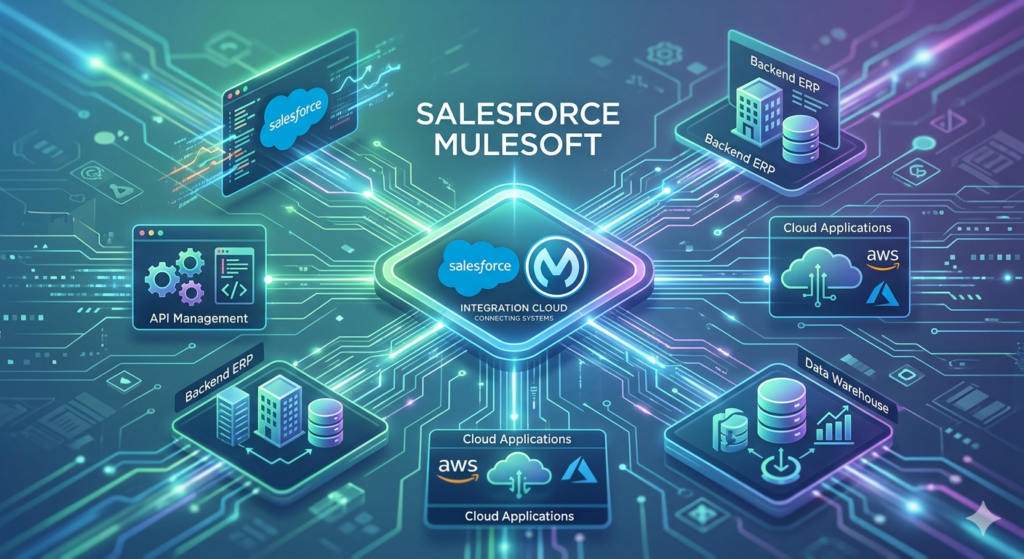
What Exactly Is MuleSoft? (And Why Should Developers Care?)
MuleSoft
MuleSoft is an integration platform that helps different software applications, databases, and systems communicate with each other. Think of it as a universal translator for your tech stack.
Founded in 2006 and acquired by Salesforce in 2018 for $6.5 billion, MuleSoft provides what’s called an API-led connectivity approach. In simpler terms, it creates standardized pathways for data to flow between systems without requiring you to write custom integration code for every single connection.
The core product, Anypoint Platform, consists of several components:
- Anypoint Studio: An Eclipse-based IDE where developers design integration flows
- Anypoint Exchange: A marketplace for connectors, templates, and APIs
- Runtime Engine (Mule Runtime): The execution engine that runs your integrations
- API Manager: Tools for publishing, managing, and securing APIs
- CloudHub: MuleSoft’s cloud deployment platform
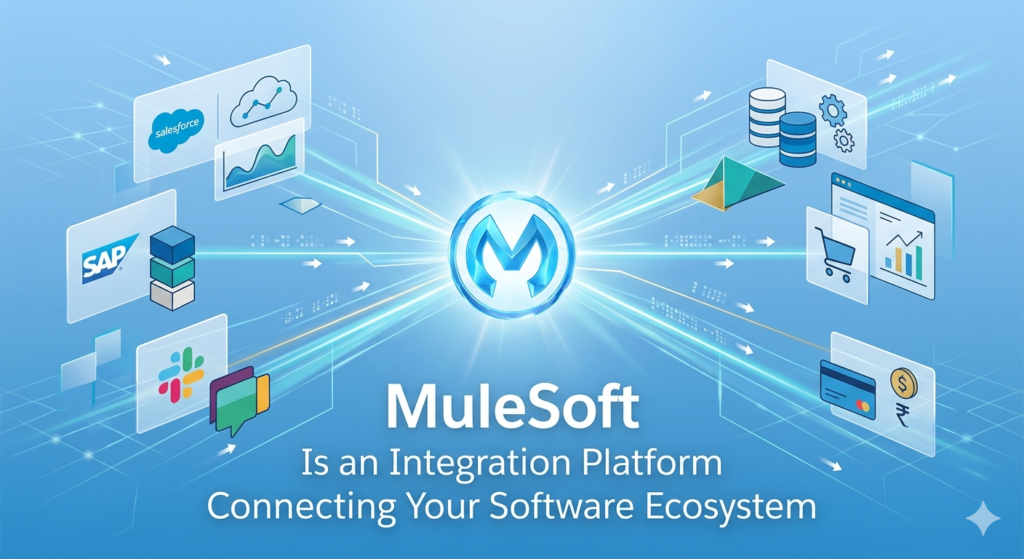
How Salesforce MuleSoft Works:
MuleSoft uses a visual, flow-based development approach. Instead of writing thousands of lines of integration code, you build Mule flows that define how data moves and transforms between systems.
Here’s a simplified example:
- Trigger: New customer record created in Salesforce
- Transform: Convert Salesforce data format to match your ERP system
- Action: Create corresponding customer record in ERP
- Log: Record transaction for auditing
- Notify: Send confirmation email
What might take days or weeks of custom coding can often be accomplished in hours using MuleSoft’s pre-built connectors and transformation tools.
The Relationship Between Salesforce and MuleSoft
When Salesforce acquired MuleSoft, it wasn’t just buying another company—it was addressing a fundamental challenge in the enterprise software world: data silos.
While Salesforce is phenomenal at customer relationship management, most organizations don’t run on Salesforce alone. They have:
- Legacy systems that have been around for decades
- Specialized industry software
- Custom applications built in-house
- Other cloud platforms (AWS, Azure, Google Cloud)
- Marketing automation tools
- Financial systems
- IoT devices and data streams
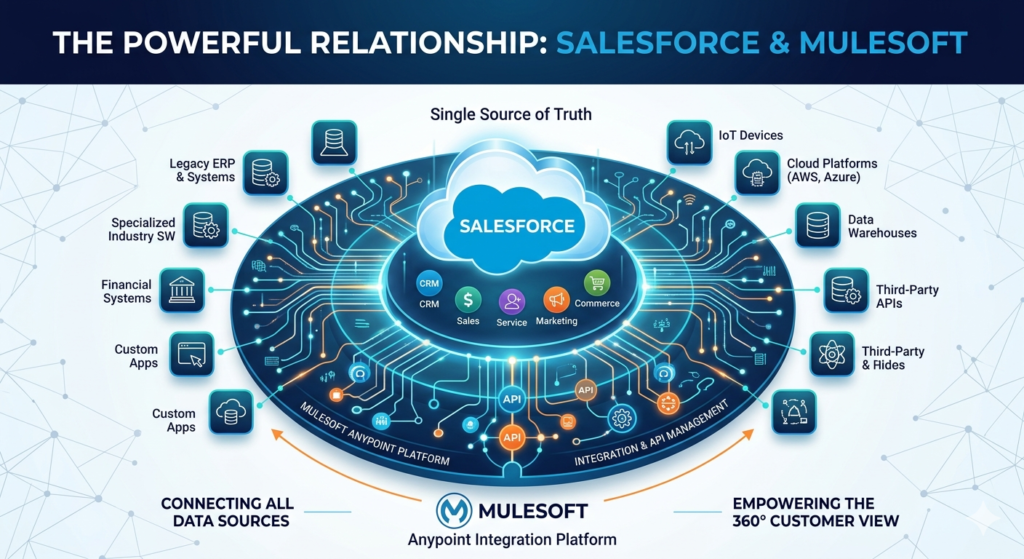
Salesforce MuleSoft provides the glue that connects all these systems to create what Salesforce calls the “Customer 360″—a complete, unified view of customer data regardless of where it lives.
As a Salesforce MuleSoft developer, you become the architect who designs these connections, ensuring data flows smoothly across the entire enterprise ecosystem.
Real-World Use Cases: When MuleSoft Solves Actual Problems
Understanding theory is one thing; seeing how MuleSoft applies to real business scenarios is what makes it click. Let’s explore some practical use cases.
Use Case 1: Omnichannel Retail Experience
The Challenge: A retail company wants customers to have a seamless experience across their website, mobile app, and physical stores. Inventory data lives in one system, customer profiles in Salesforce, orders in another platform, and loyalty points in yet another database.
The MuleSoft Solution: Create API layers that unify data from all systems. When a customer checks product availability on their phone, MuleSoft queries the inventory system in real-time. When they make a purchase, it updates Salesforce, adjusts inventory, processes payment, and adds loyalty points—all through integrated flows.
Why It Matters: Without an integration platform, developers would need to write custom code for each system connection, creating a maintenance nightmare.
Use Case 2: Healthcare Patient Data Integration
The Challenge: A healthcare provider needs to aggregate patient data from multiple sources: electronic health records (EHR), insurance systems, lab results, pharmacy systems, and patient portals.
The MuleSoft Solution: Build secure API integrations that pull patient data from various systems while maintaining HIPAA compliance. When a doctor opens a patient’s file in Salesforce Health Cloud, MuleSoft retrieves and displays comprehensive health information from all connected systems in real-time.
Why It Matters: Healthcare regulations make data integration especially complex. MuleSoft’s built-in security features and audit trails help maintain compliance while improving patient care.
Use Case 3: Financial Services Account Opening
The Challenge: A bank wants to streamline the account opening process, which requires identity verification, credit checks, compliance screening, and account creation across multiple legacy systems.
The MuleSoft Solution: Orchestrate a complex workflow where MuleSoft coordinates with credit bureaus, compliance databases, core banking systems, and Salesforce Financial Services Cloud. The entire process that once took days now happens in minutes.
Why It Matters: Financial institutions often have decades-old mainframe systems that can’t be easily replaced. MuleSoft bridges the gap between legacy and modern systems.
Use Case 4: Manufacturing Supply Chain Visibility
The Challenge: A manufacturer needs real-time visibility into their supply chain, pulling data from suppliers, logistics providers, warehouse management systems, and Salesforce.
The MuleSoft Solution: Create integration flows that continuously sync data across systems. When a shipment is delayed, the information automatically updates in Salesforce, triggering notifications to relevant stakeholders and adjusting production schedules.
Why It Matters: Manual data entry and batch processing can’t provide the real-time insights modern supply chains require.
Use Case 5: SaaS Company Product Integration
The Challenge: A SaaS company wants to offer integrations with popular tools their customers use—Slack, Microsoft Teams, Jira, HubSpot, etc.
The MuleSoft Solution: Build standardized APIs using MuleSoft that allow customers to connect their tools. The development team doesn’t need to learn each platform’s unique API; they work through MuleSoft’s unified connectors.
Why It Matters: Product integrations are a competitive advantage. Companies that offer robust integrations win more customers.
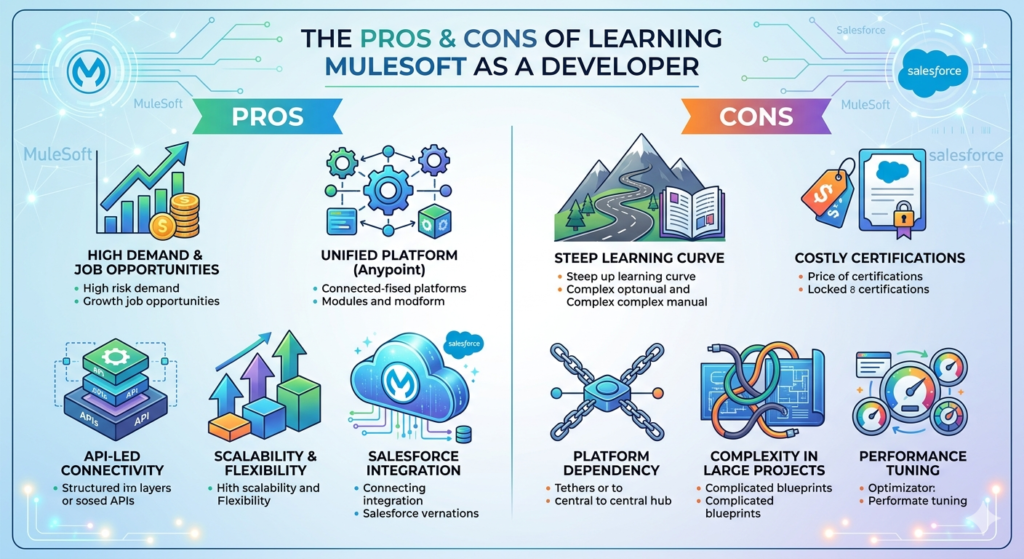
The Pros and Cons of Learning MuleSoft as a Developer
Let’s get real about the advantages and drawbacks of investing your time in learning MuleSoft.
The Pros: Why MuleSoft Skills Are Valuable
1. High Market Demand
Integration specialists are in short supply. According to recent job market data, Salesforce MuleSoft developer positions command premium salaries, often 15-30% higher than standard development roles. Companies desperately need people who can connect their fragmented systems.
2. Salesforce Ecosystem Growth
With Salesforce’s continued dominance in the CRM space and aggressive expansion into other markets (Health Cloud, Financial Services Cloud, Manufacturing Cloud), the demand for MuleSoft skills within the Salesforce ecosystem continues to grow.
3. Less Coding, More Architecture
MuleSoft allows you to solve complex problems with less boilerplate code. You focus more on designing elegant solutions and less on syntax and debugging low-level integration code. For many developers, this is more intellectually satisfying.
4. Transferable Skills
Learning MuleSoft teaches you broader concepts: API design, system architecture, data transformation, security patterns, and enterprise integration patterns (EIP). These skills apply regardless of the specific platform you use.
5. Career Flexibility
MuleSoft skills open doors across industries. Financial services, healthcare, retail, manufacturing, government—every sector needs integration solutions. This gives you geographic and industry flexibility.
6. Rapid Development Cycles
Once you’re proficient, you can build integrations remarkably quickly. Pre-built connectors for popular platforms (Salesforce, SAP, Workday, NetSuite, etc.) dramatically reduce development time. This makes you highly productive and valuable to employers.
7. Strong Community and Resources
The MuleSoft community is active and helpful. MuleSoft provides extensive documentation, tutorials, and free learning paths through MuleSoft for beginners programs on their Trailhead-style learning platform.
The Cons: Potential Drawbacks to Consider
1. Steep Initial Learning Curve
While MuleSoft simplifies integration in the long run, the platform itself has a learning curve. Understanding DataWeave (MuleSoft’s transformation language), flow design patterns, error handling, and the Anypoint Platform ecosystem takes time.
2. Tool Lock-In
Skills in proprietary platforms like MuleSoft are less portable than general programming languages. If you specialize heavily in MuleSoft, you may find fewer opportunities at companies that use different integration approaches.
3. Enterprise Focus
MuleSoft shines in large enterprise environments with complex integration needs. If you prefer working at startups or smaller companies, you may have fewer opportunities to use MuleSoft, as smaller organizations often use simpler (and cheaper) integration solutions.
4. Licensing Costs
MuleSoft isn’t cheap. This means primarily larger, well-funded organizations use it. While this correlates with higher salaries, it also limits the types of projects where you’ll apply your skills.
5. Continuous Platform Evolution
MuleSoft updates frequently, adding features and sometimes changing approaches. Keeping your skills current requires ongoing learning, not just a one-time investment.
6. Not a Complete Replacement for Traditional Development
MuleSoft excels at integration, but you’ll still need traditional development skills. For complex business logic, custom transformations, or specialized requirements, you’ll write code in Java, JavaScript, or other languages.
7. Competition from Alternatives
Other integration platforms exist: Dell Boomi, Informatica, Talend, Azure Logic Apps, AWS AppFlow, and even open-source alternatives like Apache Camel. While MuleSoft is a leader, it’s not the only game in town.
Do I Really Need MuleSoft as a Developer? Breaking Down the Decision
This is the core question, and the answer depends on several factors about your career goals, current role, and the market you’re in.
You Probably NEED to Learn MuleSoft If:
1. You’re Already in the Salesforce Ecosystem
If you’re a Salesforce developer, administrator, or architect, adding MuleSoft to your skill set is almost a no-brainer. The combination of Salesforce and MuleSoft expertise is extremely marketable. Many organizations hiring Salesforce talent specifically seek people who understand integration.
Action Item: If you have Salesforce certifications, consider MuleSoft as your next logical step. Start with the MuleSoft Certified Developer – Level 1 (Mule 4) certification.
2. Your Company Uses MuleSoft
If your current employer has invested in MuleSoft, learning it isn’t just beneficial—it’s practically mandatory for career advancement. Integration knowledge often leads to architectural roles with higher responsibility and compensation.
Action Item: Ask your manager about training opportunities. Many companies will fund MuleSoft certification if it benefits your current role.
3. You’re Targeting Enterprise Roles
Large enterprises—especially in finance, healthcare, insurance, and manufacturing—increasingly standardize on MuleSoft for integration. If you’re aiming for senior developer or architect positions at Fortune 1000 companies, MuleSoft skills significantly strengthen your candidacy.
Action Item: Search job boards in your target cities for “MuleSoft developer” or “integration architect.” See if demand matches your career goals.
4. You Want to Specialize in Integration
If API design and system integration genuinely interest you more than application development, MuleSoft provides a focused career path. Integration specialists with MuleSoft expertise are niche and well-compensated.
Action Item: Evaluate whether integration work appeals to you. Consider trying the free MuleSoft Anypoint Platform trial to get a feel for the work.
You Probably DON’T Need MuleSoft If:
1. You’re Focused on Frontend or Full-Stack Web Development
If your passion is React, Vue, or modern web frameworks, and you’re building user-facing applications, MuleSoft may be too niche. It’s backend/middleware focused and won’t directly apply to most frontend work.
Alternative: Focus on GraphQL, REST API consumption, and general API best practices instead.
2. You Work Primarily with Startups or Small Businesses
Startups rarely have the budget or complexity to justify MuleSoft. They typically use simpler integration approaches: Zapier, custom scripts, or lighter-weight tools.
Alternative: Learn general API development, microservices architecture, and cloud-native integration patterns.
3. You Prefer Open-Source Technologies
If proprietary platforms conflict with your technical philosophy or career strategy, MuleSoft may not align with your values. The runtime is based on open-source (Mule ESB), but the platform ecosystem is proprietary.
Alternative: Explore Apache Camel, Spring Integration, or cloud-native solutions like Kubernetes with service meshes.
4. Your Target Role Is Data Science or Machine Learning
If you’re moving toward data science, ML engineering, or analytics, your time is better spent on Python, R, TensorFlow, and data engineering tools rather than integration platforms.
Alternative: Focus on data pipeline tools like Apache Airflow, DBT, or cloud data platforms.
5. You Want Maximum Career Flexibility
General programming languages (Python, JavaScript, Java, Go) offer more job opportunities across more contexts than platform-specific skills like MuleSoft.
Alternative: Deepen expertise in a general-purpose language and learn integration concepts broadly rather than one specific tool.
The Middle Ground: Strategic Learning
You don’t need to become a MuleSoft expert to benefit from understanding it. Consider these moderate approaches:
- Basic Familiarity: Complete a MuleSoft for beginners course to understand integration concepts and when MuleSoft makes sense, even if you don’t pursue certification.
- Complementary Skill: Add MuleSoft as a “nice to have” alongside your primary skills. It differentiates you in job searches without requiring full specialization.
- Project-Based Learning: If a project at work touches MuleSoft, volunteer to be involved. Hands-on experience is valuable even if you don’t make it your primary focus.
Career Benefits: The Market Reality for MuleSoft Skills
Let’s talk numbers and opportunities, because career decisions should be informed by market realities.
Salary Expectations
According to recent salary data (2024):
- Entry-Level MuleSoft Developer: $75,000 – $95,000
- Mid-Level MuleSoft Developer: $95,000 – $130,000
- Senior MuleSoft Developer: $130,000 – $165,000
- MuleSoft Architect: $150,000 – $200,000+
- Salesforce MuleSoft Developer (combined expertise): Often 10-20% premium over pure MuleSoft roles
These figures vary by location, with major tech hubs commanding higher salaries. Remote opportunities are abundant in this space, often with competitive compensation.
Job Market Trends
A search on major job boards reveals:
- Thousands of open MuleSoft positions at any given time
- Consistent growth year-over-year since Salesforce’s acquisition
- Many roles offer remote work options
- Positions available across all major metropolitan areas
- Both contract/consulting and full-time opportunities
The demand is real and sustained, not a temporary trend.
Career Progression Paths
Learning MuleSoft opens several career trajectories:
Path 1: Salesforce MuleSoft Specialist
- Start as Salesforce Developer
- Add MuleSoft integration skills
- Progress to Solution Architect roles
- Potential move to Salesforce consulting with premium rates
Path 2: Integration Architect
- Begin as MuleSoft Developer
- Gain expertise across integration patterns
- Move into enterprise architecture roles
- Eventual path to Chief Architect or CTO at integration-heavy companies
Path 3: Consulting/Independent Contractor
- Build MuleSoft expertise
- Obtain multiple certifications
- Join consulting firm or go independent
- Command $100-$250/hour for project work
Path 4: Product Management/Technical Leadership
- Combine MuleSoft technical skills with business acumen
- Move into roles defining integration strategy
- Lead technical teams or product divisions
Certification Value
MuleSoft certifications genuinely matter in this field. Unlike some certifications that employers ignore, MuleSoft credentials are actively sought:
- MuleSoft Certified Developer – Level 1: Entry point, validates foundational knowledge
- MuleSoft Certified Platform Architect – Level 1: Demonstrates architectural thinking
- MuleSoft Certified Integration Architect: Advanced certification with significant market value
Many job postings explicitly require or strongly prefer certification. While you can learn MuleSoft without certification, the credential accelerates hiring processes and justifies higher compensation.
When It Makes Sense to Learn MuleSoft: A Decision Framework
Still not sure? Use this decision framework:
Ask Yourself These Questions:
- Does integration work interest me intellectually?
- Yes → MuleSoft worth exploring
- No → Probably not worth the investment
- Am I already working with Salesforce, or do I plan to?
- Yes → Strong synergy; definitely consider it
- No → Evaluate based on other factors
- Do I work or want to work in enterprise environments?
- Yes → MuleSoft is valuable
- No → Probably won’t use it often
- Am I willing to invest 2-3 months of learning time?
- Yes → Sufficient time to gain competence
- No → Wait until you have bandwidth
- Does my local job market have MuleSoft opportunities?
- Yes → Good career ROI
- No → Consider if you’re open to remote work
- Am I building a specialized career or keeping options broad?
- Specialized → MuleSoft is excellent niche
- Broad → Might prioritize general skills
The 30-Day Test
Not sure? Try this:
- Week 1: Complete MuleSoft’s free introductory training on their learning platform
- Week 2: Install Anypoint Studio and build a simple “Hello World” integration
- Week 3: Create a small integration project that solves a real problem (even a personal one)
- Week 4: Research job opportunities in your area and review the actual work
After 30 days, you’ll have enough exposure to make an informed decision with minimal time investment.
Getting Started: A Practical Roadmap for MuleSoft Beginners
If you’ve decided MuleSoft is worth learning, here’s your action plan.
Phase 1: Foundation (2-4 weeks)
Learn the Basics:
- Complete MuleSoft’s official “Developer Fundamentals” learning path
- Understand key concepts: flows, connectors, DataWeave, error handling
- Install Anypoint Studio and get comfortable with the interface
Resources:
- MuleSoft’s official training platform (free tier available)
- YouTube tutorials from MuleSoft developers
- MuleSoft documentation (surprisingly readable)
Goal: Build simple integrations connecting two systems (even if just demos)
Phase 2: Hands-On Practice (1-2 months)
Build Real Projects:
- Create Salesforce to database integration
- Build a REST API that aggregates data from multiple sources
- Implement file-based integrations (CSV, XML, JSON)
- Practice DataWeave transformations extensively
Resources:
- Anypoint Exchange templates (start by modifying existing patterns)
- MuleSoft community forums for problem-solving
- GitHub repositories with example projects
Goal: Develop a portfolio of 3-5 integration projects demonstrating different patterns
Phase 3: Certification Preparation (1-2 months)
Study for MuleSoft Certified Developer – Level 1:
- Review all exam topics systematically
- Take practice exams
- Fill knowledge gaps identified by practice tests
- Join study groups or find a study partner
Resources:
- Official MuleSoft exam guide
- Udemy or Pluralsight certification prep courses
- Practice exams (multiple vendors offer these)
Goal: Pass the certification exam
Phase 4: Specialization (Ongoing)
Deepen Expertise:
- Choose a specialty: API-led connectivity, Salesforce integration, cloud integration, etc.
- Learn advanced patterns: batch processing, streaming, event-driven architecture
- Contribute to MuleSoft community (answer questions, write blog posts)
- Consider advanced certifications
Resources:
- Real-world projects at work
- MuleSoft meetups (virtual and in-person)
- Advanced training courses
- Conference presentations and webinars
Goal: Become the go-to expert in your specialty area
Learning Investment
Time: 3-6 months to proficiency, depending on prior experience and dedication
Money: $0-$1,000 (free learning resources available; certification exam costs ~$250)
Effort: 5-10 hours per week for steady progress
The ROI is strong if you follow through. The salary increase from adding MuleSoft skills typically recoups your investment within months.
MuleSoft Alternatives: Should You Consider Other Integration Platforms?
It’s worth briefly mentioning that MuleSoft isn’t the only integration platform. Depending on your situation, alternatives might make more sense:
Dell Boomi
Similar to MuleSoft, cloud-native, slightly less expensive. Good alternative if your company uses Dell Boomi instead.
Informatica
Strong in data integration and ETL, complementary skills to MuleSoft’s API-focused approach.
Azure Logic Apps / AWS AppFlow
Cloud-native, tightly integrated with their respective ecosystems. Worth learning if you’re specializing in Azure or AWS.
Apache Camel
Open-source integration framework. Better for those who prefer open-source and want maximum flexibility without licensing costs.
Zapier / Make (Integromat)
No-code/low-code integration for simpler use cases. Not enterprise-grade but useful for smaller projects.
The Reality: Each platform has its place. MuleSoft’s strength is its comprehensive enterprise capabilities, strong Salesforce integration, and robust API management. If these align with your career path, MuleSoft is likely the right choice despite alternatives existing.
Final Thoughts: Making Your Decision
Let’s bring this all together with clear, actionable advice.
Do you really need MuleSoft as a developer?
The honest answer: It depends on your specific situation, but for many developers—especially those in or entering the Salesforce ecosystem—MuleSoft skills offer substantial career value.
MuleSoft isn’t a must-have for every developer. Frontend specialists, data scientists, and developers focused on startups may find limited application for these skills.
However, if you:
- Work with enterprise systems
- Are building or maintaining Salesforce implementations
- Enjoy solving architectural problems
- Want a specialized, well-compensated career path
- Appreciate working with current, actively developed technology
Then Salesforce MuleSoft deserves serious consideration.
Your Next Steps
If you’re still exploring:
- Complete one introductory MuleSoft for beginners course this month
- Join the MuleSoft community and observe discussions
- Research jobs in your target location to gauge demand
- Make your decision in 30 days with actual data
If you’re ready to commit:
- Block out time for learning (be realistic about your schedule)
- Start with MuleSoft’s official free learning path today
- Set a certification goal for 3-6 months from now
- Build projects while you learn, not after
- Network with other MuleSoft developers for support and opportunities
If you’re unsure MuleSoft fits:
- That’s completely fine—not every technology is for everyone
- Focus on general integration concepts (REST APIs, system design, data transformation)
- Learn tools that better align with your career path
- Keep MuleSoft on your radar for potential future relevance
The Bottom Line
The integration problem isn’t going away. If anything, it’s intensifying as companies adopt more specialized tools and cloud platforms. Someone needs to connect these systems, and Salesforce MuleSoft developers who can architect elegant integration solutions are increasingly valuable.
Whether that someone is you depends on your interests, career goals, and market positioning. But if you’ve read this far, you clearly have genuine interest. Trust that instinct—it’s often right.
About RizeX Labs
We’re Pune’s leading IT training institute specializing in emerging technologies like Salesforce and modern integration platforms. At RizeX Labs, we help professionals master tools like Salesforce MuleSoft through hands-on training, real-world integration projects, and expert mentorship. Our programs are designed to transform learners into job-ready developers with strong API, integration, and system design skills.
Internal Links:
- Salesforce Admin & Development Training
- Salesforce Apex Triggers: Beginner’s Guide with Real-Time Examples
- Salesforce Lightning Web Components (LWC) vs Aura: Which Should You Learn First
External Links
- Salesforce official website
- Salesforce Trailhead (learning platform)
- Salesforce Developer documentation
Quick Summary
Understanding whether Salesforce MuleSoft is necessary depends largely on your career path as a developer. MuleSoft plays a critical role in enabling seamless integration between systems, making it essential for enterprise-level projects where multiple applications need to communicate efficiently. For beginners, learning MuleSoft opens the door to API-led development and real-world integration scenarios. However, not every developer needs it—frontend developers or those focused on standalone applications may not require MuleSoft expertise. In most cases, the best approach is strategic: build a strong foundation in development and APIs first, then specialize in MuleSoft if you're aiming for a career in the Salesforce ecosystem or enterprise integrations. This ensures you stay flexible while also having the option to move into a high-demand, specialized role.